
Introduction
If you have ever searched for a recipe on Google and seen a result showing star ratings, cooking time, and a photo right in the search results, you have witnessed structured data in action. That snippet did not appear by magic. Someone told Google exactly what that page was about using something called structured data.
Now here is the good news: you do not need to be a developer or know how to code to implement structured data on your website. With the right tools and a simple copy-paste approach, anyone can do it.
In this guide, we will break down what structured data is, why it matters for SEO, and how three formats, JSON-LD, Microdata, and RDFa, compare. By the end, you will have a clear path to getting started, even if the word “schema” sounds intimidating right now.
| Personal Insight: When I first heard the term “structured data,” I assumed it was something only developers handled. Turns out, it’s mostly about filling in a template. If you can fill out a form, you can do structured data. |
Also Read: FIFA World Cup 2026: Complete Guide to Tickets, Venues, Booking & Marketing Opportunities
What is Structured Data?
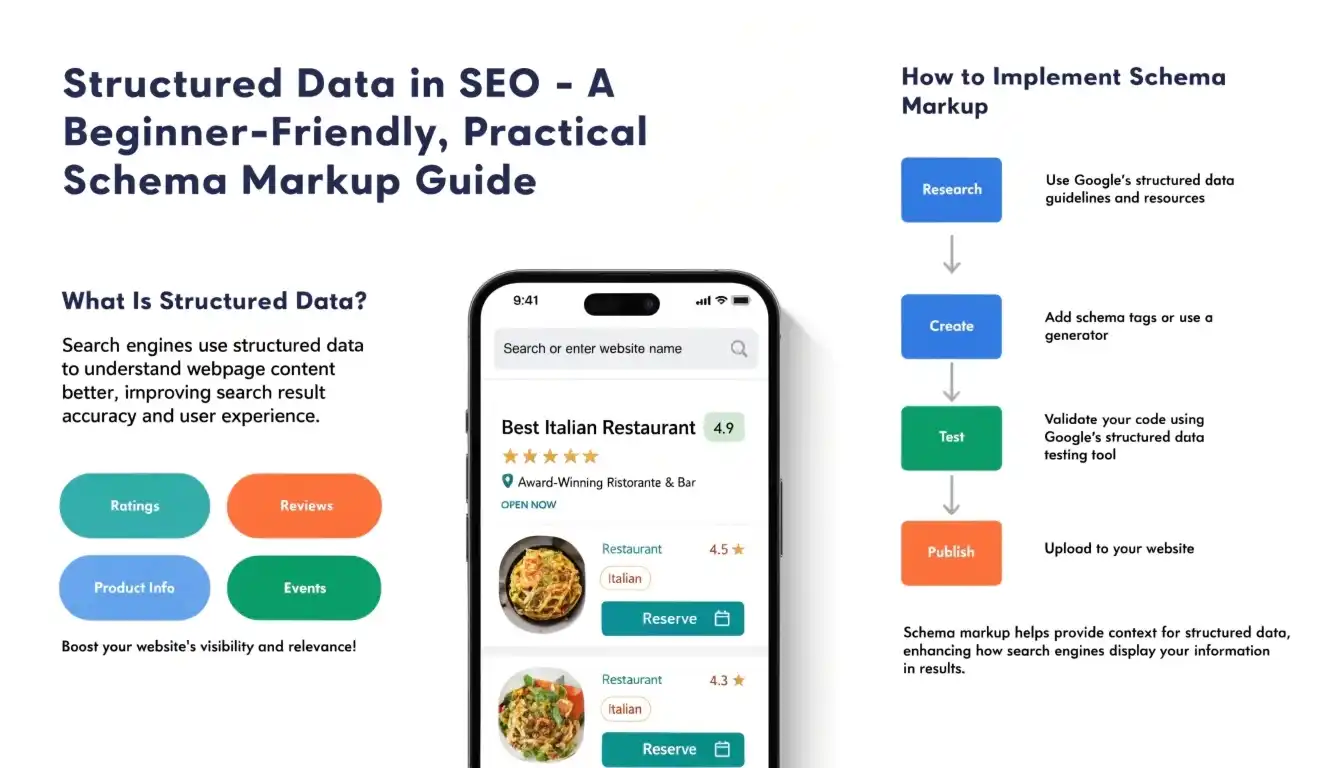
Structured data is a standardised format for providing information about a page and classifying its content. Think of it as a label you attach to your web page that tells search engines, in plain machine-readable language, what your content is about.
Without structured data, search engines have to guess the meaning of your content by reading it like a human would. With structured data, you remove all the guesswork.
A Simple Example
Imagine you write the word “Apple” on a piece of paper. Is that the fruit or the technology company? A human reading the surrounding context would figure it out. But search engines are not always that clever.
With structured data, you can explicitly say: “This page is about Apple Inc., a technology company headquartered in Cupertino, California.” Now there is zero ambiguity.
How Google Uses Structured Data
Google uses structured data to generate rich results in search. These are enhanced search listings that stand out from plain blue links. Examples include:
- Star ratings and review counts for products
- FAQs that expand directly in search results
- Event dates, locations, and ticket prices
- Recipe details like cooking time and calorie count
- Breadcrumb navigation trails
- Business hours, phone numbers, and addresses
Rich results can significantly increase your click-through rate (CTR) and make your listing more trustworthy. That is why structured data is considered one of the most underutilised yet powerful SEO tools available today.
What is Schema.org?
Schema.org is the shared vocabulary that search engines use to understand structured data. It was created in 2011 as a joint initiative by Google, Bing, Yahoo, and Yandex, the four major search engines at the time.
Think of Schema.org as a universal dictionary. It defines thousands of types of entities, like Person, Product, Article, Event, Recipe, Organization, and more, along with the properties that describe each one.
For example, under the “Product” type, you will find properties like name, description, price, availability, brand, and review. When you use these standardised names, search engines understand your data instantly.
| Why It Matters: Before Schema.org, different search engines each had their own way of reading structured data. Schema.org standardised the language so you only need to write it once and all major search engines can understand it. |
Types of Structured Data Formats
There are three main formats for writing structured data. They all communicate the same information to search engines, but they do so in very different ways.
JSON-LD
JSON-LD stands for JavaScript Object Notation for Linked Data. It is the most modern and widely recommended format for implementing structured data.
The key difference: JSON-LD lives in a separate <script> block inside your HTML, completely independent of your visible content. You do not need to touch or modify your existing HTML layout at all.
Here is a simple JSON-LD example for a blog article:
| <script type=”application/ld+json”> { “@context”: “https://schema.org”, “@type”: “Article”, “headline”: “What is Structured Data in SEO?”, “author”: { “@type”: “Person”, “name”: “” }, “datePublished”: “2024-01-15”, “description”: “A beginner’s guide to structured data and schema markup.” } </script> |
As you can see, this is just a clean block of text that sits in the <head> or <body> of your page. Your visitors never see it. Only search engines read it.
Microdata
Microdata is an older HTML-based format where structured data is embedded directly into your HTML tags using special attributes. Instead of a separate script block, you add attributes like itemscope, itemtype, and itemprop right inside your existing HTML.
Here is the same article example written in Microdata:
| <article itemscope itemtype=”https://schema.org/Article”> <h1 itemprop=”headline”>What is Structured Data in SEO?</h1> <span itemprop=”datePublished”>2024-01-15</span> <div itemprop=”author” itemscope itemtype=”https://schema.org/Person”> <span itemprop=”name”>Jeff Arthur</span></div> </article> |
The main limitation of Microdata is that it is tightly coupled to your HTML. If you change your website design or restructure your HTML, your structured data could break. This makes it harder to maintain, especially on large websites.
RDFa
RDFa stands for Resource Description Framework in Attributes. Like Microdata, it is embedded directly into HTML. However, it is more technically complex and originates from the semantic web community, where the goal was to make the entire web machine-readable.
Here is what the same article looks like in RDFa:
| <article vocab=”https://schema.org/” typeof=”Article”> <h1 property=”headline”>What is Structured Data in SEO?</h1> <span property=”datePublished”>2024-01-15</span> <div property=”author” typeof=”Person”> <span property=”name”>Jeff Arthur</span> </div> </article> |
RDFa is commonly used in government, academic, and large enterprise websites where semantic linking between data sources is important. For most bloggers and business website owners, it is more complexity than is needed.
JSON-LD vs Microdata vs RDFa: A Comparison
Here is a side-by-side comparison to help you understand the practical differences between the three formats:
| Feature | JSON-LD | Microdata | RDFa |
| Ease of Use | Very Easy | Moderate | Complex |
| Implementation | Separate <script> | Inline HTML | Inline HTML |
| Readability | High | Low | Low |
| Maintenance | Very Easy | Difficult | Difficult |
| SEO Friendliness | Excellent | Good | Moderate |
| Google Recommendation | Yes | Supported | Supported |
| Best For | All websites | CMS platforms | Semantic web |
| Error Risk | Low | High | High |
The comparison makes one thing clear: if you are a blogger, a small business owner, or a digital marketer, JSON-LD is your best choice. It is clean, safe, and easy to manage.
Why JSON-LD is the Most Popular Format
JSON-LD has become the dominant structured data format for good reason. Let us look at why it wins in almost every scenario.
Google Officially Recommends It
Google has explicitly stated in its official documentation that JSON-LD is the preferred format for structured data. When the world’s largest search engine makes a recommendation, it is wise to follow it.
Cleaner Implementation
Because JSON-LD lives in a separate script block, it does not interfere with your HTML at all. You can add it, remove it, or update it without touching a single line of your design code. This is a massive advantage for non-technical users.
Easy to Scale
Once you have a JSON-LD template for a particular page type, you can reuse it across hundreds or thousands of pages. For bloggers publishing dozens of articles per month, this template-based approach saves enormous time.
Less Prone to Errors
With Microdata and RDFa, a single typo or misplaced HTML tag can break your structured data silently. With JSON-LD, the code is isolated, so the risk of accidental errors is much lower.
| Personal Insight: Once I switched to JSON-LD templates, I stopped worrying about breaking my schema every time I updated my website theme. The separation of code and content is a genuine game-changer. |
Is There a Common Way to Write Structured Data?
Yes, and this is the part that makes structured data approachable for beginners. Every JSON-LD schema follows the same basic pattern, regardless of the schema type you are using.
The three core building blocks are:
- @context: This tells the search engine which vocabulary you are using. It is almost always “https://schema.org” and you never need to change it.
- @type: This is the type of entity you are describing. Examples: Article, Product, FAQPage, Organization, LocalBusiness, Person, Recipe, and so on.
- Properties: These are the specific details about your entity. Each @type has its own set of available properties defined on Schema.org.
| <script type=”application/ld+json”> { “@context”: “https://schema.org”, // Always the same “@type”: “YourSchemaType”, // Changes per use case “property1”: “value1”, // Specific details “property2”: “value2” } </script> |
That is the entire pattern. Once you understand this structure, every schema type becomes a simple fill-in-the-blank exercise.
How to Create Schema Without Technical Knowledge
Here is the step-by-step process to implement structured data without writing a single line of code from scratch:
Step 1: Identify Your Schema Type
Visit Schema.org and browse the list of types. Ask yourself: what is this page about? An article? A product? A local business? A person? Choose the type that matches your content.
Step 2: Use a Schema Generator Tool
These tools let you fill in a form and automatically generate the JSON-LD code for you:
- Google Structured Data Markup Helper (search it on Google) – tag your existing page visually
- Merkle Schema Markup Generator (technicalseo.com/tools/schema-markup-generator) – fill in fields and copy code
- Hall Analysis JSON-LD Schema Generator – user-friendly form-based tool
- RankRanger Schema Generator – supports multiple schema types
Step 3: Fill in the Required Fields
Most tools show required fields (usually marked with an asterisk) and optional fields. Focus on filling the required ones first. You can always add more detail later.
Step 4: Copy and Paste the Generated Code
Once the tool generates your JSON-LD code, copy it. Then paste it into the <head> section of your web page. In popular platforms like WordPress, you can use a plugin like Yoast SEO, Rank Math, or Schema Pro to paste and manage this code without touching any files directly.
Step 5: Validate Your Schema
Before publishing, always test your schema using Google’s Rich Results Test tool (search “Google Rich Results Test”). Paste your URL or code snippet and the tool will instantly tell you if everything is correct or if there are errors to fix.
Common Schema Examples
Here are five ready-to-use schema templates for popular use cases. Simply replace the placeholder values with your own details.
FAQ Schema
Perfect for blog posts, support pages, and landing pages that include common questions and answers.
| <script type=”application/ld+json”> { “@context”: “https://schema.org”, “@type”: “FAQPage”, “mainEntity”: [ { “@type”: “Question”, “name”: “What is structured data?”, “acceptedAnswer”: { “@type”: “Answer”, “text”: “Structured data is a standardised format to label web page content.” } }, { “@type”: “Question”, “name”: “Do I need coding skills for structured data?”, “acceptedAnswer”: { “@type”: “Answer”, “text”: “No. Tools like Merkle Schema Generator make it code-free.” } } ] } </script> |
Organization Schema
Use this on your homepage or About Us page to tell Google about your business.
| <script type=”application/ld+json”> { “@context”: “https://schema.org”, “@type”: “Organization”, “name”: “Your Company Name”, “url”: “https://www.yourwebsite.com”, “logo”: “https://www.yourwebsite.com/logo.png”, “contactPoint”: { “@type”: “ContactPoint”, “telephone”: “+1 (000) 000 0000”, “contactType”: “customer service” }, “sameAs”: [ “https://twitter.com/yourhandle”, “https://www.linkedin.com/company/yourcompany” ] } </script> |
Real Estate Schema
Useful for property listing pages and real estate agency websites.
| <script type=”application/ld+json”> { “@context”: “https://schema.org”, “@type”: “RealEstateListing”, “name”: “3 BHK Apartment in Gurugram”, “description”: “Spacious 3 BHK flat with modern amenities in Sector 54.”, “url”: “https://www.yoursite.com/listing/gurugram-3bhk”, “offers”: { “@type”: “Offer”, “price”: “9500000”, “priceCurrency”: “USD” }, “address”: { “@type”: “PostalAddress”, “streetAddress”: “1001 Texas Ave“, “addressLocality”: “Suite 1400, Houston”, “addressRegion”: “Texas”, “postalCode”: “77002”, “addressCountry”: “US” } } </script> |
Fintech Schema
Ideal for financial service providers, loan comparison pages, or banking apps.
| <script type=”application/ld+json”> { “@context”: “https://schema.org”, “@type”: “FinancialService”, “name”: “Your Fintech Company Name”, “description”: “Instant personal loans up to Rs. 5 Lakhs with minimal documentation.”, “url”: “https://www.yourwebsite.com”, “areaServed”: “US”, “currenciesAccepted”: “USD”, “address”: { “@type”: “PostalAddress”, “addressLocality”: “Texas”, “addressCountry”: “US” } } </script> |
Healthcare Schema
For hospitals, clinics, doctors, and medical service providers.
| <script type=”application/ld+json”> { “@context”: “https://schema.org”, “@type”: “MedicalClinic”, “name”: “Your Clinic”, “description”: “Multi-speciality clinic offering general medicine and diagnostics.”, “url”: “https://www.yourwebsite.com”, “telephone”: “+1-(000) 000 0000”, “address”: { “@type”: “PostalAddress”, “streetAddress”: “12 Health Lane”, “addressLocality”: “Texas”, “addressCountry”: “US” }, “openingHours”: “Mo-Sa 09:00-18:00”, “medicalSpecialty”: “General Practice” } </script> |
Do You Need to Memorize Schema Types?
Absolutely not. No one, not even experienced SEO professionals, memorizes every schema type and its properties. There are hundreds of schema types on Schema.org, each with dozens of possible properties.
The goal is not memorization. The goal is knowing where to look and how to apply what you find. Structured data is a lookup skill, not a memory skill.
| Personal Insight: I used to feel overwhelmed every time I opened Schema.org. Then I realised that professional developers use documentation too. I gave myself permission to look things up instead of memorising them, and everything clicked. |
A Smart Strategy Instead of Memorizing
Here is how successful SEOs and content creators approach structured data efficiently:
Apply the 80/20 Rule
Focus on the core schemas that cover 80 percent of your use cases. For most websites, these are:
- Article or BlogPosting for blog content
- FAQPage for Q&A sections
- Organization or LocalBusiness for company pages
- Product for e-commerce listings
- BreadcrumbList for site navigation
- WebPage for general pages
Build Your Own Schema Library
Create a personal folder or document where you save working schema templates by type. Every time you build a new schema, save it. Over time, you will have a personal library that covers all your common use cases. No schema.org browsing required.
Use the Lookup Method
When you need a schema type you have not used before, simply Google the name followed by “schema.org”. For example: “Event schema.org” will take you directly to the Event type page where you can see all available properties.
Focus on Patterns, Not Properties
Every schema follows the same @context / @type / properties pattern. Once you understand the pattern, adapting it to any new type takes only a few minutes. The structure never changes, only the values do.
Best Practices for Structured Data
- Match Schema with Your Actual Content: Only add schema that accurately reflects what is on the page. If your page is about a restaurant, use the Restaurant schema. Do not add Product schema to a blog post just because you want a rich result.
- Always Fill Required Fields: Each schema type has certain required fields without which the schema is invalid. Always check Google’s developer documentation for the required fields for the type you are using. Missing required fields means no rich results.
- Do Not Overuse Schema: Adding too many schema types to a single page can confuse search engines and may even trigger a manual action from Google. Keep it focused: use the schema that best describes the primary content of the page.
- Keep It Relevant and Honest: Never use schema to claim things that are not true. For example, do not mark up star ratings on a page that does not have genuine reviews. Google can detect manipulative structured data and may penalise your site.
- Update Schema When Content Changes: If you update the price of a product or the date of an event, make sure your structured data reflects that change. Stale or incorrect schema can hurt your credibility with search engines.
How to Test Your Structured Data
Before and after implementing any schema, always test it. Here is how:
Google Rich Results Test
This is the official tool from Google. Visit search.google.com/test/rich-results. You can either paste a URL (for a live page) or paste your raw JSON-LD code directly. The tool will show you:
- Which rich result types are detected
- Any errors that will prevent rich results
- Warnings that may reduce eligibility
Schema Markup Validator
Visit validator.schema.org to check your markup against the official Schema.org specification. This tool validates your syntax and identifies missing or incorrect properties.
Google Search Console
In your Search Console account, navigate to Enhancements in the left sidebar. Here you can see how Google is crawling and interpreting your structured data across your entire website, including any errors detected at scale.
Common Mistakes to Avoid
Using the Wrong Schema Type
Marking up a blog post as a Product or an event listing as an Article is one of the most common mistakes. Always choose the schema type that most accurately matches your page content.
Missing Required Fields
Each schema type has mandatory fields. For example, a Product schema without a name or price is incomplete. Always refer to Google’s Rich Results documentation for the required fields specific to each type.
Copy-Paste Errors
When copying schema from examples online, it is easy to accidentally leave placeholder values like “Your Company Name” or duplicate closing braces. Always review your code before publishing and test it in the validator.
Overloading a Page with Schema
Adding ten different schema types to a single page is not better than adding one accurate schema. It can create conflicting signals and may confuse the search engine about what the page is really about.
Schema That Does Not Match Visible Content
Google expects the information in your schema to be visible on the page. If your JSON-LD mentions a review rating of 4.9 but there are no reviews visible on the page, that is a violation of Google’s guidelines.
Also Read: Meta Tags in SEO Explained: Title, Description, Viewport, Charset & Robots Guide
Conclusion
Structured data is one of the most powerful and underutilised tools in SEO. It helps search engines understand your content more accurately, making your pages eligible for rich results that stand out in search, earn more clicks, and build greater trust.
Here is a quick recap of what we have covered:
- Structured data labels your content for search engines, removing all ambiguity
- Schema.org provides the universal vocabulary all major search engines understand
- JSON-LD is the recommended format, clean, separate from your HTML, and easy to maintain
- Microdata and RDFa work but are harder to maintain and not recommended for beginners
- You do not need coding skills, just the right tools and a simple template
- You do not need to memorise schemas, use the lookup method and build your own library
- Always test your schema before publishing using Google’s Rich Results Test
The best time to start with structured data was when you first built your website. The second best time is right now. Pick one schema type, use a generator tool, paste the code, and test it. That one step could meaningfully improve your search visibility within weeks.
| Final Thought: Structured data is not a one-time task. Think of it as an ongoing practice. As you publish new types of content, add the appropriate schema. Over time, you will build a richer, more visible presence in search results without any extra effort. |
Frequently Asked Questions (FAQ)
Is structured data a direct Google ranking factor?
Structured data is not a confirmed direct ranking factor. However, it enables rich results, which increase your click-through rate. Higher CTR sends positive signals to Google, which can indirectly improve your rankings over time. Think of it as a tool that improves your visibility, not your raw position.
Can I add multiple schema types to a single page?
Yes, you can add multiple JSON-LD blocks to a page when each one describes a different element. For example, a blog post page can have an Article schema, a BreadcrumbList schema, and an FAQ schema if the page has a Q&A section. Just avoid stacking schemas that conflict with or contradict each other.
What is the difference between schema markup and structured data?
These terms are often used interchangeably, but there is a subtle difference. Structured data is the broader concept, a way of organising data so machines can read it. Schema markup specifically refers to structured data that uses the Schema.org vocabulary. In practical SEO conversations, they mean the same thing.
Will structured data automatically give me rich results?
Not automatically. Adding valid structured data makes your page eligible for rich results, but Google decides whether to display them based on several factors, including content quality, page authority, and whether the schema accurately matches the visible content. Think of schema as applying for a rich result, not guaranteeing one.
Do CMS platforms like WordPress support structured data?
Yes. WordPress, Wix, Shopify, and most major CMS platforms support structured data either natively or through plugins. On WordPress, plugins like Rank Math, Yoast SEO, and Schema Pro make it extremely easy to add and manage schema markup without touching any code. These plugins often auto-generate schema based on your content type.