
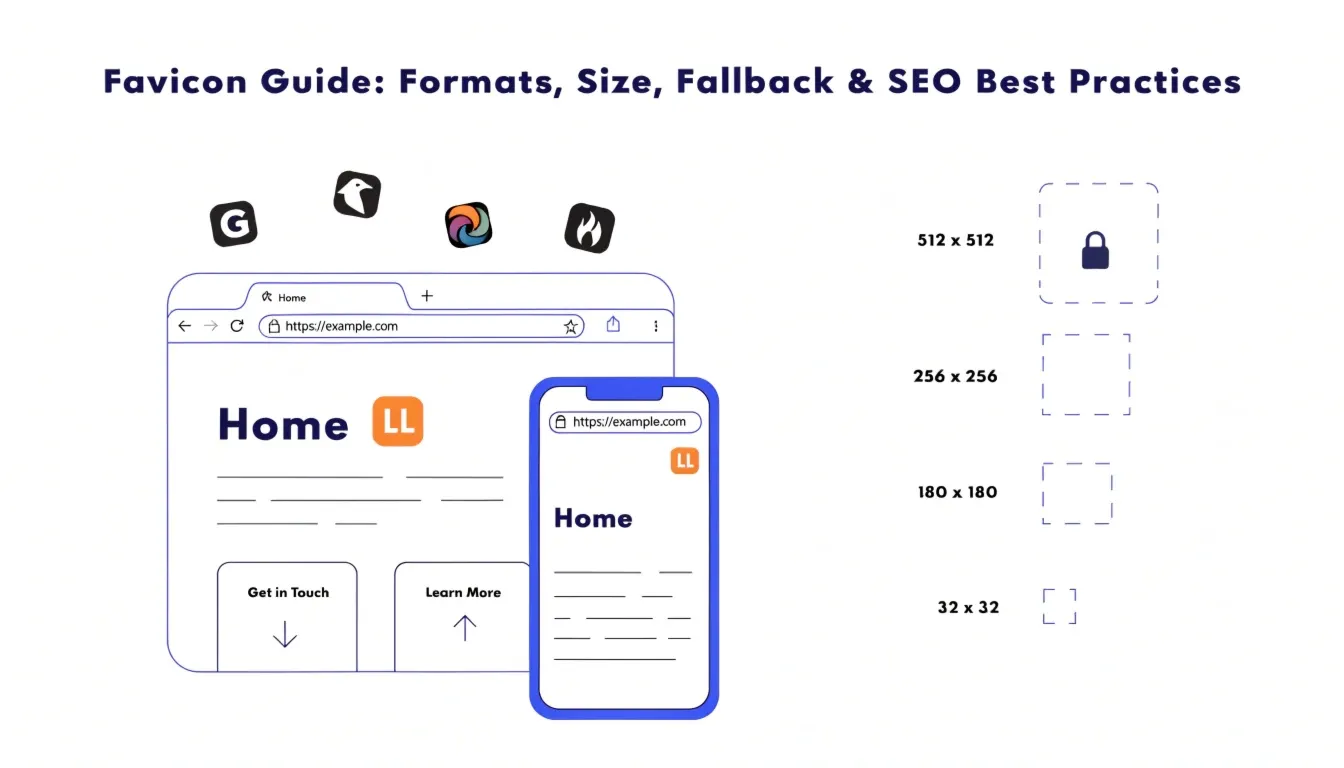
Everything you need to know about favicons — from pixel sizes to browser fallbacks.
Introduction
The favicon is one of those things you probably don’t think much about. The favicon is actually a very important aspect of your website, because that small icon lets people know which page you’re on, whether they have your page bookmarked, or even whether they have your site open in another tab.
The favicon can be compared to the business card of your website. At just 16px or 32px wide, it needs to make sure all your branding information is clear to users. While a missing favicon might not seem like a big deal, it can do damage to your website’s professional standing and even its click-through rate.
This article will teach you all you need to know about favicon sizes, favicon formats, favicon format types, favicon fallbacks, and favicon setup.
Also Read: Structured Data in SEO – A Beginner-Friendly, Practical Schema Markup Guide
What Happens If You Don’t Use a Favicon?
When a website has no favicon, the browser shows a generic globe icon or a blank tab. It’s a small thing, but it signals to visitors that the site might be unfinished or untrustworthy.
Here’s what actually happens without a favicon:
- Users see a generic placeholder icon in the browser tab.
- In bookmark lists, your site looks anonymous among others that have recognizable icons.
- Search engines like Google display a small favicon next to your result in the SERP — without one, you get a default grey globe, which reduces visual appeal.
- Mobile devices use favicons for home screen shortcuts — missing one means an auto-generated, ugly icon.
| SEO Note: A missing favicon doesn’t directly cause an SEO penalty. However, it indirectly affects your Click-Through Rate (CTR) in search results. Listings with a recognisable favicon look more trustworthy, which can influence whether users click your result over a competitor’s. |
Favicon Size & Aspect Ratio Explained
What Does a 1:1 Ratio Mean?
1:1 simply means that your picture is perfectly square, meaning that its width is the same as its height. For instance, 48x48px, 64x64px, 128x128px, and 512x512px are all perfectly square images because the division gives a result of 1:1.
The favicon should always be square since the browser is made in such a way that it fits into a perfectly square space. Therefore, if your picture is not perfectly square, it will be distorted.
Minimum Size Requirements
Google and major browsers officially recommend a minimum favicon size of 48×48 pixels. Below that, the image becomes too blurry or pixelated to be recognizable.
Here’s a quick size reference:
- 16×16 px: — Classic browser tab size (very small, fine as a fallback)
- 32×32 px: — Standard Windows taskbar size
- 48×48 px: — Google’s recommended minimum for search results
- 180×180 px: — Apple Touch Icon (used on iOS home screens)
- 512×512 px: — PWA / Web App Manifest icon
| Pro Tip: Always design your favicon at 512×512 px, then export smaller versions from it. Starting big ensures crisp quality at all sizes. |
What If Your Favicon Is Not Square?
If you try to use a rectangular or non-square image as a favicon, here’s what can go wrong:
- Browsers may crop it to fit the square space, cutting off parts of your logo.
- The image may get squeezed or stretched, distorting your brand.
- At small sizes, a non-square favicon becomes nearly unrecognizable.
Always crop and resize your favicon to a perfect square before uploading it. If your logo is horizontal, consider creating a simplified icon-only version for use as your favicon.
Supported Favicon Formats
Not every image format works reliably as a favicon. Here’s a rundown of what’s technically supported:
- PNG: The most reliable choice. Supports transparency, sharp rendering, and is universally supported. This is the best favicon format for most sites.
- ICO: The original favicon format from the early days of the web. Can store multiple sizes in one file. Still useful as a legacy fallback.
- SVG: Vector format — infinitely scalable without losing quality. Great in theory, but browser support is inconsistent.
- WebP: Smaller file size than PNG, but not widely adopted for favicons. Risky as a primary format.
- JPG: Doesn’t support transparency, so it’s a poor choice for favicons. Avoid it.
- GIF: Technically supported in some browsers, but generally unreliable and low quality for this use.
PNG vs SVG vs WebP — Which Is Best?
PNG — The Most Reliable Option
PNG is the gold standard for favicons. It supports transparent backgrounds, renders crisply at small sizes, and works in every modern browser — including older ones. When people ask about favicon format, PNG is almost always the right answer.
- Universal compatibility: Works in Chrome, Firefox, Safari, Edge, and more.
- Transparency support: Great for logos with no background.
- Predictable rendering: What you design is what gets displayed.
SVG — Advanced but Inconsistent
SVG sounds ideal — it’s a vector format, meaning it scales perfectly from 16px to 512px without any quality loss. However, there are real-world limitations that make SVG unreliable as your only favicon format.
- Safari on macOS supports SVG favicons, but older versions don’t.
- Some browsers render SVGs differently, especially with complex shapes or embedded fonts.
- At 16×16 px, even SVG can look messy if the design has too many details.
SVG is best used as an optional enhancement — always alongside a PNG fallback.
WebP — Modern but Risky
WebP files are smaller than PNG and generally high quality. But for favicons specifically, WebP is not the right tool. Browser and device support for WebP favicons is limited, and there’s simply no benefit over PNG that justifies the compatibility risk. Stick with PNG.
Format Comparison Table
| Format | Reliability | Browser Support | File Size | Recommended |
| PNG | ★★★★★ | All Browsers | Small–Medium | Yes (Primary) |
| ICO | ★★★★☆ | All (Legacy) | Very Small | Optional |
| SVG | ★★★☆☆ | Modern Only | Very Small | With Fallback |
| WebP | ★★☆☆☆ | Limited | Very Small | Avoid |
| JPG | ★★☆☆☆ | Limited | Small | Avoid |
| GIF | ★★☆☆☆ | Partial | Small | Avoid |
Why SVG Is Less Reliable Than PNG
The idea of using SVG favicons sounds great on paper, but there are several real-world problems that make SVG favicons undesirable to use:
- Small-size rendering problem: Since SVG files often have gradients, shadows, and complex paths that do not convert properly to tiny 16×32 pixels.
- Problems caused by browsers’ nonstandard implementation: Even when one browser renders an SVG icon correctly, other browsers may render it incorrectly.
- SVG complexity: A file containing SVG JavaScript, fonts, and filters will not be rendered as a favicon at all.
That said, SVG is still worth adding as a secondary format — just never as your only favicon option.
What Is Fallback in Favicons?
Simple Definition
A fallback is a backup option that kicks in when the primary option doesn’t work. In the context of favicons, it means providing an alternative format that browsers can use if they can’t display your preferred format.
Think of it like a fire exit. You hope no one needs it, but it’s critical to have one in place.
Why Fallback Is Important
Without a fallback, if a browser doesn’t support your favicon format, users see either no icon or a generic placeholder. This is especially relevant when using SVG as your primary format.
- Older browsers may not support SVG favicons at all.
- Some enterprise environments have restricted browser versions that lack SVG favicon support.
- Mobile operating systems handle favicons differently than desktop browsers.
A simple PNG fallback eliminates all of these problems at once.
Fallback Example Code
| HTML<!– Primary: SVG for modern browsers –><link rel=”icon” href=”/favicon.svg” type=”image/svg+xml”> <!– Fallback: PNG for all other browsers –><link rel=”icon” href=”/favicon.png” type=”image/png”> <!– Legacy ICO fallback for older browsers –><link rel=”shortcut icon” href=”/favicon.ico”> <!– Apple Touch Icon for iOS home screens –><link rel=”apple-touch-icon” href=”/apple-touch-icon.png” sizes=”180×180″> |
| How It Works: Browsers read link tags from top to bottom and use the last format they support. Placing SVG first and PNG second ensures modern browsers get the scalable version while older ones fall back to the reliable PNG. |
Best Favicon Setup (Expert Recommendation)
Here’s the setup that works reliably across all browsers and devices in 2026:
- Use PNG as your primary favicon format (32×32 px minimum, ideally 48×48 px or higher).
- Add an SVG version optionally for modern browsers that support it.
- Include a legacy .ico file for older Internet Explorer support.
- Add an Apple Touch Icon at 180×180 px for iOS home screen bookmarks.
- Add a 512×512 px PNG in your Web App Manifest for PWA support.
- Keep your favicon simple — a clean symbol or initial tends to work better than a full logo.
Common Favicon Mistakes to Avoid
| Watch Out For These: Using a non-square favicon — it will be cropped or distorted. Going below 48×48 px — looks blurry in search results and bookmarks. Using only WebP — poor browser support makes this a risky choice. Designing an overly complex favicon — details disappear at small sizes. Blocking favicon.png or favicon.ico in robots.txt prevents search engines from displaying your favicon in search results. Forgetting to test — always verify your favicon in multiple browsers after uploading. |
SEO Benefits of a Proper Favicon
Favicons and SEO aren’t directly linked — Google doesn’t boost your rankings just because you have a favicon. But the indirect effects are real and measurable.
- Improves CTR in search results: Google displays your favicon next to your website name in SERPs. A clean, recognizable icon makes your listing stand out and builds immediate trust.
- Enhances brand recognition: Users who visit your site regularly start associating your favicon with your brand, making them more likely to click your result in future searches.
- Reduces bounce from distrust: A missing or broken favicon can make a site look suspicious, especially to security-conscious users. A proper favicon reinforces legitimacy.
- Boosts social sharing visibility: Many social bookmark and link aggregator sites display favicons next to shared links — a strong favicon helps your content stand out.
How to Create a Favicon
You don’t need to be a designer to create a great favicon. Here are the simplest approaches:
- Start with your logo: If you have a logo, crop it to a square and export at 512×512 px PNG. Then scale down.
- Use a favicon generator: Tools like favicon.io, RealFaviconGenerator.net, or Canva let you create favicons from text, emoji, or images in minutes.
- Design in Figma or Illustrator: For custom favicons, design at 512×512 px, keep it simple, and export as PNG.
| Free Tools: favicon.io — Create favicons from text or image • RealFaviconGenerator.net — Full multi-size favicon packages • Canva — Beginner-friendly design tool • Squoosh — Compress your PNG favicon without quality loss |
Final Checklist
| Square ratio | Use a 1:1 aspect ratio — no rectangles or circles that get clipped. |
| Minimum 48×48 px | Anything smaller looks blurry on modern displays. |
| Use PNG as primary | Most reliable format with universal browser support. |
| Add fallback | Always include a PNG backup alongside SVG. |
| Keep it simple | Complex logos lose detail at favicon size. Simplify. |
| Test in browser tabs | Open in Chrome, Firefox, Safari, and mobile browsers. |
| Allow crawler access | Don’t block favicon.png/ico in robots.txt. |
| Use descriptive filename | favicon.png is standard — don’t rename it oddly. |
Conclusion
The favicon is the tiniest element on your website, but it is an effective branding and UX tool that goes unnoticed until it is missing from a site or badly designed. While creating a good-looking favicon does not require much effort from a web developer or a designer, a bad favicon can subtly hurt you.
In short: the PNG format is your first choice for favicon creation at least 48×48 px with 1:1 proportions. You may also create an SVG format favicon, but the PNG version should definitely stay there to provide a fallback option. Keep your favicon design clean and simple, and ensure its accessibility by search engines.
That’s all you need to do to get a great favicon.
| Action Step: Take 10 minutes today: create a 512×512 px PNG of your logo or initials, upload it to the root of your site as favicon.png, and add the HTML link tags to your <head>. That’s all it takes to get started. |
FAQ: Favicon Questions Answered
Why is my favicon not showing up?
The most common reasons are: the favicon isn’t in your root directory, the HTML link tag is missing from your , the browser has cached the old (missing) favicon, or your favicon is being blocked by robots.txt. Try hard-refreshing (Ctrl+Shift+R) and clearing cache first.
Does favicon format affect SEO?
Directly, no. But favicon SEO matters indirectly. Google shows your favicon in search results, so a clear, professional favicon improves CTR, which is a signal Google pays attention to. A missing favicon can also reduce trust, indirectly affecting engagement metrics.
What is the best favicon format in 2026?
PNG remains the best favicon format for reliability and universal browser support. SVG is worth adding as a secondary format for modern browsers, but should never be your only option. Avoid relying on WebP or JPG for favicons.
What size should a favicon be for Google Search?
Google recommends a minimum of 48×48 pixels for favicons displayed in search results. The favicon must also be in a 1:1 square ratio. Google will not show your favicon if it’s smaller than 48×48 or not square.
Can I use an animated GIF as a favicon?
Technically some browsers support animated GIF favicons, but it’s generally considered bad practice. Animations in browser tabs are distracting, most browsers don’t support them, and the quality at small sizes is poor. Stick with a clean, static PNG.