
Introduction: Why You Need to Pay Attention to These GA4 Updates
Google Analytics 4’s latest updates – AI performance reports in GA4, the new source group field, updated source platform values, and the new hostname filter—directly impact digital marketing and SEO services professionals. These aren’t just technical tweaks; they’re opportunities for cleaner analytics and better insights. Most importantly, we’ll settle the biggest misconception: GA4 does NOT automatically merge www and non-www traffic.
Understanding the New Source Group Field
Let’s start with something that might seem simple but actually solves a real problem that digital marketing professionals have dealt with for years.
What Is It and Why Does It Matter?
Field for source group makes it easy to standardize the way traffic sources are measured in GA4. Traffic from Facebook used to appear as either ‘facebook’, ‘fb’, or ‘m.facebook.com’. It was the same for Instagram, Tiktok, and more.
Now, Google automatically groups these variations so you get cleaner reports and more accurate analytics for decision-making.
Examples of How Source Groups Work
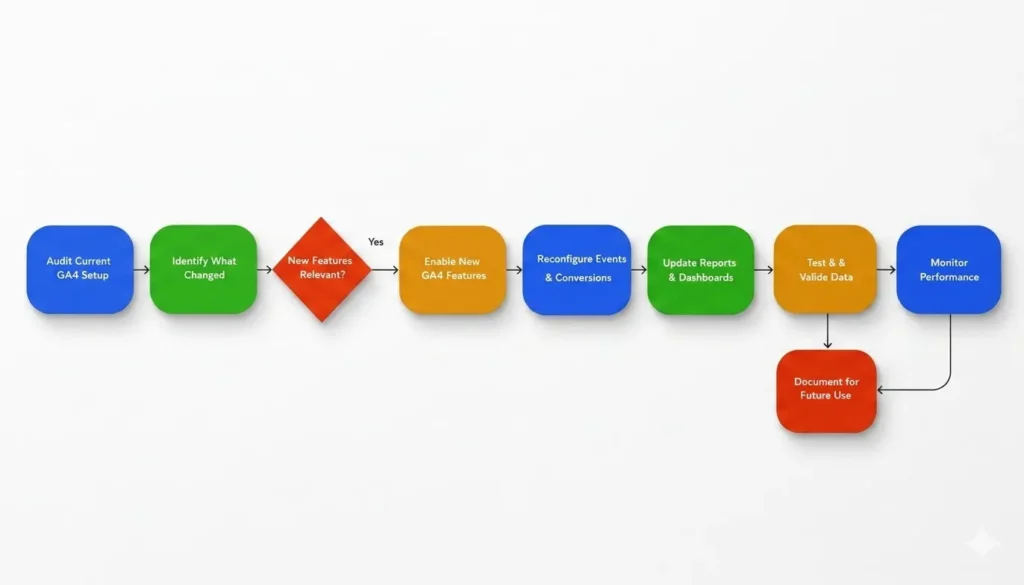
Here’s what standardization looks like in practice:
| Previously Showed As (Fragmented) | Now Groups As (Standardized) |
| facebook, fb, m.facebook.com | |
| instagram, ig, m.instagram.com | |
| tiktok, m.tiktok.com, tiktok.com | TikTok |
| linkedin, m.linkedin.com | |
| twitter, x.com, m.twitter.com | Twitter/X |
Benefits for Digital Marketing Teams
- Accurate social media attribution without data fragmentation
- Cleaner client reporting and analytics presentations
- Better budget decisions with standardized data
Also Read: Google Search Console’s New AI Performance Reports
AI Performance Reports in GA4
AI performance reports in GA4 use machine learning to automatically generate insights. Instead of manually digging through data, Google’s AI identifies traffic trends and highlights what’s working.
Why AI-Driven Traffic Matters
AI search engines like ChatGPT and Perplexity now send measurable traffic to websites. Previously invisible, GA4 now identifies these referrals—a new channel for organic visibility and content authority.
If you’re providing SEO services or managing digital marketing, understanding AI-driven traffic is becoming as important as Google organic search.
The New Hostname Filter
A hostname is the domain name in a URL (example.com, www.example.com, shop.example.com). The hostname filter lets you include or exclude specific hostnames from your GA4 reports.
Hostname vs. Traffic Source
Don’t confuse these: A traffic source tells you WHERE users came from (Google, Facebook, etc.). A hostname tells you WHICH DOMAIN they visited. A user clicking Facebook to www.example.com has traffic source ‘Facebook’ and hostname ‘www.example.com’.
Why Use the Filter
- Exclude staging/development domains from real traffic data
- Block spam referral sources
- Focus reporting on your main customer-facing domain
Does GA4 Automatically Merge www and Non-www Traffic?
The Answer: No
GA4 does NOT automatically merge www and non-www traffic. Period. There is no GA4 setting that combines these two versions. GA4 only tracks traffic where the GA4 tag is installed.
What Actually Happens
- Only example.com tracked: Non-www shows up, www is invisible. You’re missing data.
- Both tracked separately: Each shows as different hostnames in reports. Not merged.
- Both live without redirects: Traffic is fragmented. You see inflated session counts and incorrect conversion rates.
- www redirects to non-www (correct setup): All traffic flows to the final destination hostname. GA4 tracks it there.
The Solution—Redirects
Choose one version (www or non-www) as your canonical, then set up a 301 redirect. Example: www.example.com → example.com
What Happens with a Redirect
- User visits www.example.com
- Server redirects to example.com (301 permanent)
- GA4 tracks the user on the final destination: example.com
- Result: Clean, unduplicated data in your reports
Why This Matters for Digital Marketing
- Accurate traffic volume without fragmentation
- Correct conversion attribution
- Reliable ROI calculations
Pro tip: Use canonical tags in your HTML for SEO purposes, but understand they don’t merge GA4 data—they’re for search engines.
Also Read: Google Universal Cart: How AI Commerce Could Transform Ecommerce SEO
Real-World Example
Mike runs an e-commerce business with multiple domains:
- example.com (main site)
- shop.example.com (store)
- staging.example.com (testing)
Using the new hostname filter, he excludes staging.example.com from reports. His GA4 now shows only real customer traffic. He also discovers that his blog gets significant referral traffic from ChatGPT—new digital marketing insight from AI performance reports in GA4.
Action Items
Right Now
- Audit: Check if both www and non-www are live and tracked separately
- Setup: Implement 301 redirects from one version to the other
- Filter: Exclude staging/testing domains using the hostname filter
Going Forward
- Monitor AI-driven traffic from ChatGPT and Perplexity as a new organic channel
- Use the source group field to understand which social platforms drive real conversions
- Keep analytics clean by maintaining your hostname filter and documenting your setup
Common Misconceptions (Debunked)
• Hostname filter merges traffic? NO—it includes/excludes, doesn’t combine
• Source group field merges hostnames? NO—it standardizes traffic labels only
• GA4 auto-recognizes www as the same? NO—treats them as separate
• Canonical tags solve this? NO—they’re for search engines, not analytics
Conclusion: The Bottom Line
What Changed
- Source Group Field standardizes traffic labels (facebook/fb → Facebook)
- AI Performance Reports GA4 now track ChatGPT and Perplexity referrals
- New Hostname Filter gives better control over domain tracking
What Didn’t Change
- GA4 does NOT auto-merge www and non-www traffic
- GA4 requires proper setup—it won’t fix fragmented data automatically
Your Action
Stop assuming GA4 cleans up your data automatically. It doesn’t. Take control: set up redirects, use the hostname filter, and document your setup. Your analytics quality depends entirely on your implementation.
Accurate data → Better decisions → Better campaigns → Real results.
Start today: Audit your www/non-www setup and implement a redirect. That single step improves your analytics more than any new GA4 feature.
Disclaimer
The information provided in this article is based on publicly available documentation and announcements from Google at the time of writing. Google Analytics 4 features and reporting capabilities may evolve over time. Always refer to the official Google documentation for the latest updates and implementation guidelines. This article is intended for educational and informational purposes only and should not be considered technical, legal, or professional implementation advice.