
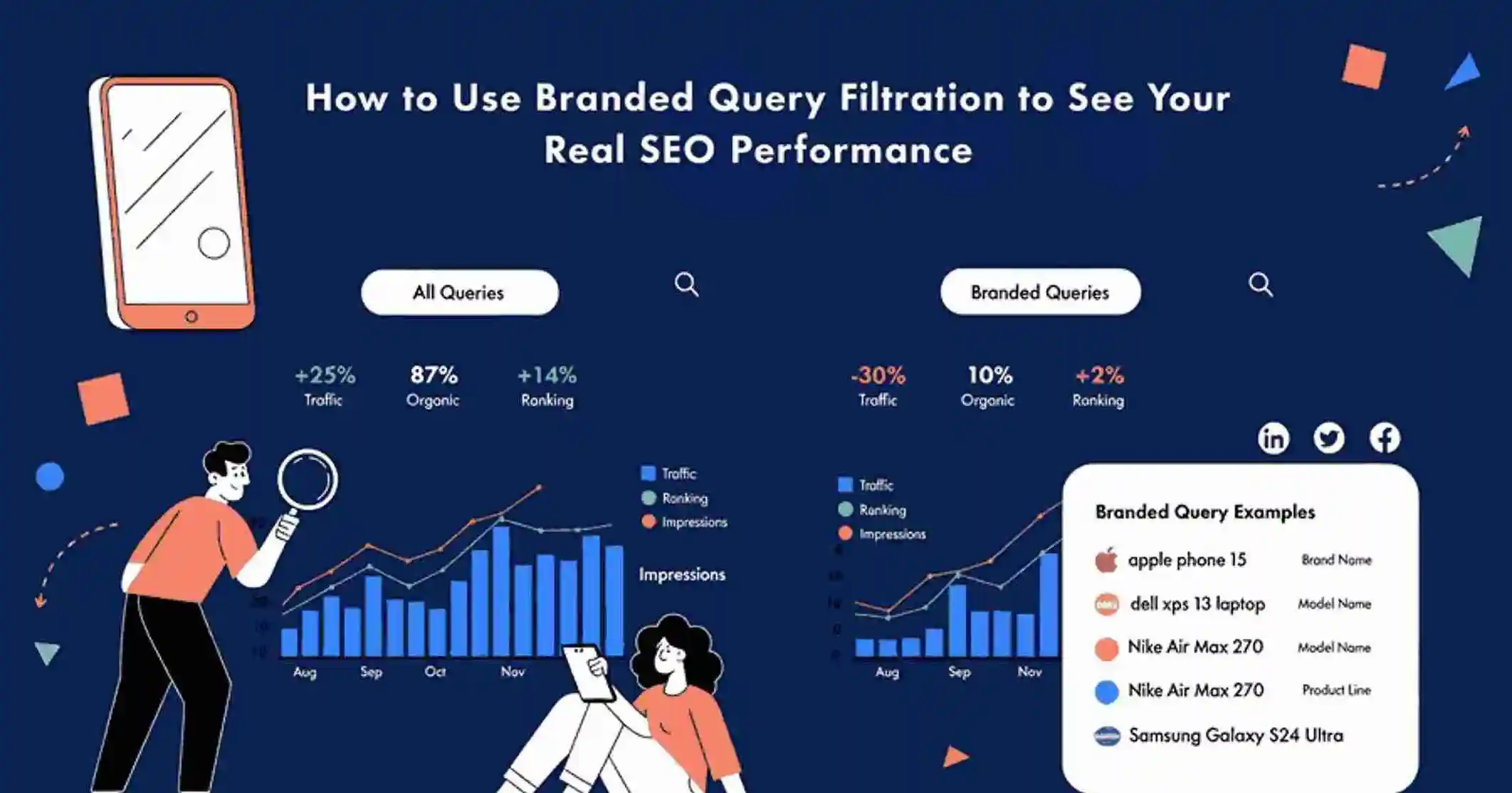
Stop measuring brand loyalty. Start measuring true organic discovery.
Key Takeaways
- Separating search between branded query and discovery searches gives you a clearer picture of SEO performance.
- Brand-driven traffic can inflate rankings and make organic results look stronger than they are.
- Discovery-based searches reveal whether new audiences are actually finding you.
- Filtering brand queries helps identify whether traffic growth is from awareness or organic reach.
- The insight unlocks smarter content planning and more accurate keyword targeting.
Why Your SEO Numbers Might Be Misleading You
Traffic going up is exciting — until you realize most of it is people who already know your name.
When someone types your brand into Google and lands on your homepage, that visit gets counted in your analytics just like a visit from someone who found you by searching ‘best project management software.’ But these two visitors are very different. One already knew you existed. The other just discovered you.
Mixing these two types of searches together creates a distorted view of how well your SEO is actually working. Filtering out brand-driven searches — known as branded query filtration — separates these two groups so you can finally see the real picture.
Also Read: Google Confirms You Can Disavow Entire TLDs Like .xyz Using the Domain Directive
What Counts as a Branded Query?
A branded query is any search where the user already has your brand in mind. This includes:
- Exact brand name searches (e.g., “Google”, “Slack”, “Notion”)
- Common misspellings (e.g., “Gogle”, “Slak”)
- Brand plus product combinations (e.g., “Gmail login”, “Notion templates”)
- Brand plus support terms (e.g., “Slack pricing”, “Notion help”)
The key distinction is intent. In every branded search, the user has already decided where they want to go. They are navigating, not discovering. That is why these searches almost always rank the official site at the top — search engines recognize the navigational intent and surface the most relevant destination immediately.
The Problem With Mixed Search Data
When brand searches and discovery searches appear together in analytics reports, several problems emerge.
- Inflated rankings. Brand searches rank easily by default. Averaging them in with competitive keywords makes your overall ranking data look healthier than it is.
- Misleading click-through rates. Branded searches generate high CTRs because users are looking specifically for you. This pulls up your average CTR, masking underperforming non-brand content.
- False growth signals. If your brand runs a successful campaign and brand search volume spikes, your organic traffic will jump too — even if your non-brand SEO made zero progress.
Applying branded query filtration removes this noise and leaves you with data that actually reflects your SEO efforts.
Understanding Discovery-Based Searches
Discovery searches are the ones that matter most for SEO growth. These are users typing queries like “best email service for small business,” “free file sharing tools,” or “team collaboration software comparison.” They have a problem and are looking for a solution — and they have not decided which brand to use yet.
When your content ranks for these searches and earns clicks, that is genuine SEO performance. Your pages are competing on merit, not on name recognition.
Branded query filtration lets you isolate these discovery-based visits so you can measure what percentage of your traffic comes from people who did not already know you. This is the number that tells you whether your SEO strategy is actually expanding your audience.
How Filtered Data Helps Marketers Make Better Decisions
- Clearer SEO Performance: Once brand searches are removed from your dataset, you can evaluate how your content performs for general, competitive, and solution-based keywords. You get an honest benchmark — one that shows where you genuinely rank against competitors, not just where you appear when someone types your own name.
- Smarter Content Planning: Filtered data reveals a useful pattern: branded searches tend to land on product pages, login pages, and homepages. Discovery searches tend to land on blog posts, guides, comparison pages, and educational content. Knowing this helps you allocate content resources more effectively. If your discovery traffic is low, you know to invest in top-of-funnel content that reaches people who have not heard of you yet. If it is strong, you know your content engine is working.
- Accurate Growth Attribution: Traffic growth has multiple possible causes. Maybe your brand ran a successful PR campaign. Maybe a new keyword started ranking. Maybe a competitor went offline. Without filtration, these signals blur together. With brand queries separated out, you can trace growth back to its actual source — which makes it far easier to double down on what is working and fix what is not.
Steps to Filter Branded and Non-Branded Queries in Google Search Console
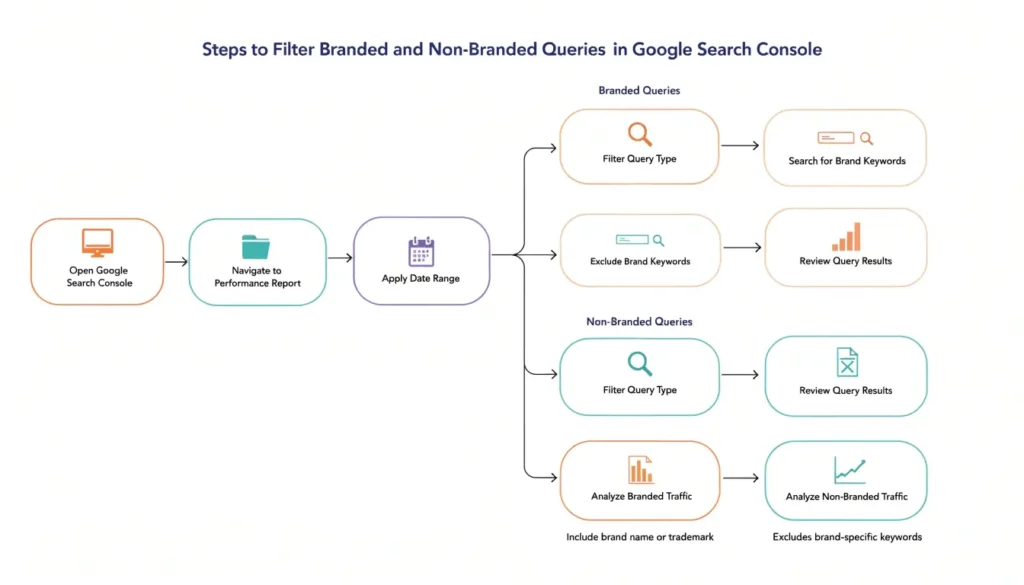
Follow these steps to separate branded traffic from organic discovery data inside Google Search Console.
Step 1: Open the Performance Report: Log in to Google Search Console and click on Performance from the left-hand menu. This report shows all queries driving impressions and clicks to your site.
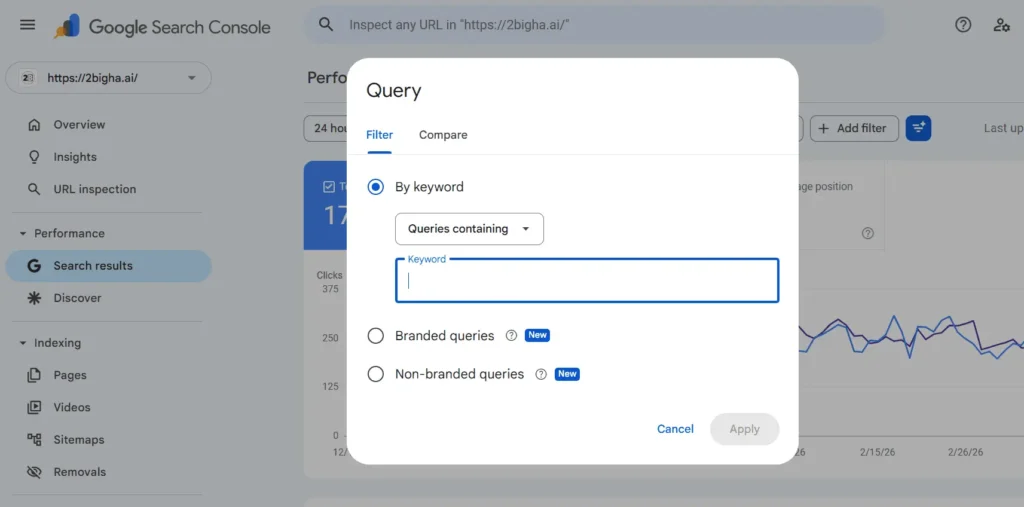
Step 2: Click on “New” Filter: At the top of the Performance report, click the “+ New” button to add a filter. Select “Query” from the dropdown menu.
Step 3: Filter Out Branded Queries: Select “Queries not containing” and type your brand name. Add all common variations — misspellings, abbreviations, and brand-plus-product combinations. Click Apply.
This filtered view now shows only non-branded, discovery-based queries.
Step 4: Save the Filtered View: Click on the date range or filter area and save this as a default view so you can reference it consistently every time you analyze performance.
Step 5: Create a Separate Branded View: Repeat the same process but this time select “Queries containing” your brand name. This gives you a dedicated branded query dataset to compare against your non-branded performance.
Step 6: Compare Both Views: Toggle between the two saved views to analyze the difference in clicks, impressions, CTR, and average position. The gap between them reveals how much of your traffic is brand-driven versus genuinely discovered through SEO.
Also Read: How Crawl Budget Influences Search Visibility and Organic Performance
Before and After: What Changes With Filtration
Here is how the analytics picture changes once branded query filtration is applied:
| Feature | Without Filtration | With Branded Query Filtration |
| Traffic Analysis | Brand searches mixed with discovery searches | Clear separation of brand vs. non-brand traffic |
| SEO Performance Clarity | Difficult to measure real organic discovery | Easier to evaluate true SEO impact |
| Keyword Insights | Brand searches inflate keyword results | More realistic, actionable keyword performance |
| Growth Tracking | Traffic growth can appear misleading | Clearer understanding of what’s driving growth |
| Strategy Planning | Limited visibility into actual demand | Better content and keyword decisions |
The Bigger Picture
Applying branded query filtration is not just a minor analytics improvement. It fundamentally changes how you interpret your SEO data.
Instead of looking at a blended traffic number and wondering why growth has stalled, you can now ask a much more useful question: are new users discovering us through organic search, or are we just getting better at serving people who already know we exist?
The answer shapes everything — your content strategy, your keyword targeting, your channel investment decisions, and how you measure the success of SEO over time. Separating brand demand from organic discovery gives you the clarity to make those decisions with confidence.
Frequently Asked Questions
What is branded query filtration?
It is the process of separating searches that include your brand name from non-branded searches in your SEO data. This gives you two distinct datasets: one showing brand-driven traffic, and one showing organic discovery traffic.
Why does it matter?
Without filtration, brand traffic inflates your SEO metrics. It can make rankings, CTRs, and traffic growth look stronger than they actually are. Filtering brand queries out gives you an accurate baseline to measure real SEO progress.
Do branded searches always rank the official site first?
Almost always. Search engines are very good at recognizing navigational intent, and they consistently surface the official brand site at the top for direct brand queries. This is why branded searches are not a useful measure of SEO performance — the ranking is essentially guaranteed.
How does this help with SEO strategy?
It shows you whether your content is reaching new audiences or just serving existing ones. With brand traffic filtered out, you can see which pages are winning discovery clicks, which keywords are underperforming, and where there is room to grow your organic reach.
How do I apply this filter in Google Search Console?
In Search Console, navigate to the Performance report and use the “New” filter option to exclude queries containing your brand name and its common variations. You can save this as a filtered view to reference consistently over time.