
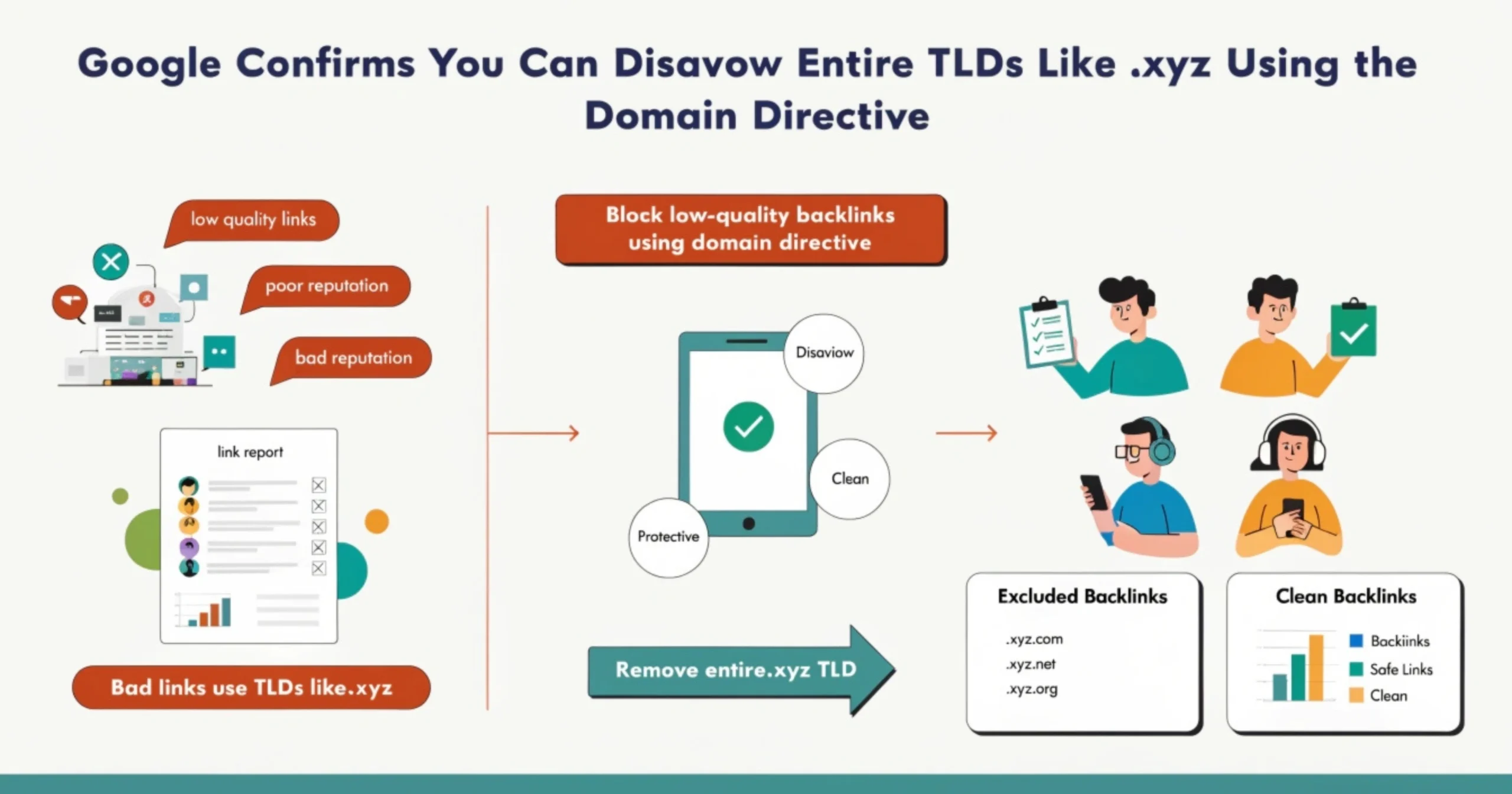
Search engine optimization is an ever-evolving discipline, and one of its most nuanced aspects is managing your website’s backlink profile. Google has officially confirmed that website owners and SEO professionals can use the domain directive within a disavow file to disavow entire top-level domains (TLDs) — such as .xyz, .club, .top, and .info — in one single instruction. This revelation gives webmasters a sweeping mechanism to address large-scale spam link issues. However, Google’s own Search Relations team has been equally vocal about the serious risks that come with using this capability carelessly. This comprehensive guide explores exactly how TLD disavowal works, when it is and is not appropriate, and what best practices you should follow to protect your site’s SEO performance.
What Is Google’s Disavow Tool?
Google’s Disavow Tool is a feature available inside Google Search Console that enables website owners to communicate to Google which backlinks pointing to their site they do not want considered when evaluating their search rankings. At its core, the tool allows you to submit a plain-text file listing specific URLs or entire domains whose links you believe are harmful, manipulative, or low-quality. Google’s crawlers then process this file and exclude the listed links from your site’s PageRank and authority calculations. The tool was created as a direct response to growing SEO community concerns about toxic backlinks — whether acquired intentionally through past aggressive link-building tactics or placed on sites without the owner’s knowledge or permission. It remains one of the most powerful and consequential tools available to SEO professionals when used correctly.
Why Google Introduced the Disavow Tool
Google introduced the Disavow Tool in October 2012, largely as a direct consequence of the Penguin algorithm update released earlier that same year. Penguin was specifically designed to crack down on websites that had built their rankings through manipulative link-building tactics, including buying links, participating in link exchange schemes, using automated link generators, and deploying private blog networks. Many website owners who had used these strategies — sometimes years earlier — suddenly found themselves hit with severe ranking drops or outright penalties. The disavow tool gave these penalized site owners a structured, official pathway to communicate to Google which links they could not get removed through direct outreach, enabling them to submit reconsideration requests and work toward ranking recovery without being permanently punished for links they no longer had control over.
How the Disavow Tool Works
The Disavow Tool operates through a simple but impactful mechanism. You create a plain-text file (.txt) that lists each URL or domain you want Google to ignore, then upload it via the Disavow Links tool inside Google Search Console for the relevant property. Once uploaded, Google’s systems process the file over a period of several days to weeks, after which the listed links are excluded from your site’s link equity calculations. Crucially, the tool does not delete those links from the web — the pages linking to you still exist and are still crawled by Google. What changes is that Google agrees to discount those links as if they did not point to your site. The effect is not instantaneous, and improvements in rankings — particularly after recovering from a manual action — can take several weeks or even months to fully materialize in search results.
What Is the Domain Directive in a Disavow File?
The domain directive is a special instruction within a disavow file that tells Google to disregard every single backlink coming from an entire domain, rather than just one specific URL on that domain. This is a highly efficient approach when you are dealing with a domain that has dozens, hundreds, or even thousands of individual pages all pointing to your site with spammy, over-optimized, or manipulative anchor text. Instead of laboriously listing each individual URL one by one, a single domain directive line handles them all simultaneously. Understanding the domain directive is essential for any webmaster who wants to manage their backlink profile at scale while keeping the disavow file lean and maintainable. Below are the key things you need to know about how and when the domain directive is used in practice.
- Covers All Pages: The domain directive disavows every link from every page on the specified domain, including present and future pages, using just one line in your file.
- Simple Syntax: You apply it by writing ‘domain:’ followed by the domain name — for example, domain:spammysite.xyz — without any http:// or www prefix.
- Efficient for Bulk Cleanup: When a single spammy domain has hundreds of linking pages, using the domain directive is far more practical than listing individual URLs.
- Applies Site-Wide: All subdomains and subdirectories of the specified domain are also covered, making it a truly comprehensive disavowal of that entire web property.
- TLD Extension Possible: Google has confirmed that writing domain:.xyz technically processes as disavowing all .xyz links, though this is strongly discouraged due to the broad collateral impact.
- Irreversible Until Updated: Once submitted, the disavowal stays active until you upload a new file that removes the directive, so accuracy before submission is critically important.
Syntax of Domain Directive
The syntax for the domain directive is deliberately kept simple so that any webmaster can create and manage a disavow file without needing advanced technical knowledge. To disavow all links from a specific domain, you write the word ‘domain:’ immediately followed by the root domain name, with no spaces, no protocol prefix, and no trailing slash.
For example: domain:linkspam.xyz.
To add explanatory notes for your own reference, you prefix a line with the hash symbol (#), which tells Google to treat that line as a comment and ignore it during processing. A well-documented disavow file with clear comments is far easier to audit and update over time, especially as your backlink profile continues to evolve. Google also accepts lines listing specific full URLs without any prefix for URL-level disavowal alongside domain-level entries in the same file.
Difference Between URL Disavow and Domain Disavow
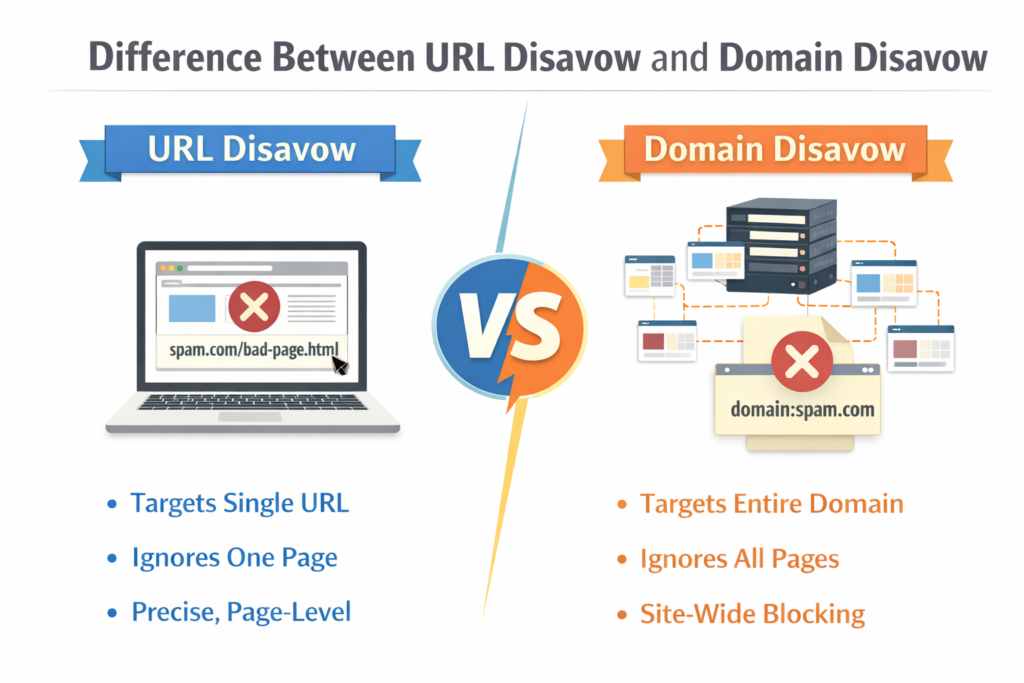
There is a fundamental and important distinction between disavowing a single URL and disavowing an entire domain. A URL disavowal targets one specific page — meaning if that domain has 50 other pages linking to you, all 50 of those links remain active and are still counted by Google. A domain disavowal, on the other hand, eliminates every link signal from that entire domain in one instruction. URL disavowal is ideal for situations where a domain is mostly legitimate but one particular page contains a spam link to your site. Domain disavowal is the right choice when the entire domain is clearly a link farm, spam site, or low-quality property with no redeeming value. The key trade-off is precision versus efficiency — URL disavowal is more precise, while domain disavowal is more comprehensive but carries a higher risk of inadvertently removing any legitimate links that domain may have.
The following table outlines the core differences between URL-level and Domain-level disavowal:
| Feature | URL Disavow | Domain Disavow |
| Scope | Single URL / page only | Entire domain — all pages |
| Syntax Example | https://spam.xyz/bad-page | domain:spam.xyz |
| Best Use Case | One bad link on an otherwise okay site | Entire domain is a spam or link farm |
| Risk Level | Low — highly targeted | Higher — removes all link signals |
| Efficiency | Slow for high-volume spam | Very fast for bulk cleanup |
| TLD-Level Option | Not applicable | Technically: domain:.xyz (not recommended) |
| Google’s Stance | Generally acceptable | Use only with extreme caution |
| Good Link Exposure | Minimal — only one URL removed | May accidentally remove legitimate links |
Can You Disavow an Entire TLD Like .xyz?
Yes — Google has officially confirmed that it is technically possible to use the domain directive to disavow an entire top-level domain. This means you could write domain:.xyz in your disavow file and instruct Google to stop counting all backlinks from every single website that uses the .xyz domain extension. This is an extraordinarily broad action: there are tens of thousands of websites operating under the .xyz TLD, and a single line in your disavow file would instruct Google to ignore links from every one of them as they relate to your website. The confirmation came from Google’s Search Relations team, who acknowledged that their systems do interpret and process such a directive. However, their acknowledgment was immediately accompanied by a firm advisory that this approach should be treated as a last resort, if used at all.
Example of Disavowing a Full TLD
To illustrate what TLD-level disavowal looks like in practice, here is how the entry would appear inside your disavow.txt file. You would simply add the line: domain:.xyz — and that single line would cover every website under the .xyz extension. The same syntax applies to any other TLD: domain:.club would disavow all .club domains, domain:.top would cover all .top domains, and domain:.info would disavow all .info domains. While the syntax is extremely simple to implement, the consequences are sweeping and potentially irreversible until you manually update and re-upload the file. SEO professionals who have experimented with this approach emphasize that it should only ever be considered when the volume of spam links from a specific TLD is so overwhelming that granular domain-by-domain disavowal has become genuinely unmanageable.
Why Some SEOs Consider Disavowing Entire TLDs
The idea of disavowing an entire TLD has gained traction among some SEO professionals primarily because certain newer, cheaper domain extensions have become synonymous with spam websites, link farms, doorway pages, and other forms of manipulative content. TLDs like .xyz, .club, .gdn, .top, and .icu are frequently cited in the SEO community as high-risk extensions due to their low registration costs and the proportionally higher concentration of low-quality sites they host. When a website is subjected to a large-scale negative SEO attack that floods its backlink profile with hundreds of spammy .xyz domains in a short period, manually disavowing each one individually can feel impossibly time-consuming. For these SEOs, a blanket TLD disavowal feels like a time-efficient protective measure that addresses the problem at its root rather than playing a constant game of whack-a-mole with individual spam domains.
Why Google Advises Against Disavowing Entire TLDs
Despite confirming the technical feasibility of TLD-level disavowal, Google has been unambiguous in its position that this is not a practice it endorses for the vast majority of websites. Google’s Search Relations team members have repeatedly emphasized in public communications, conference presentations, and online discussions that disavowing entire TLDs is an extreme overreaction in almost every conceivable situation. Their core argument is rooted in the diversity of websites that operate under any given TLD — regardless of how spam-prone that extension may seem, there are always legitimate, high-quality sites among them. Using a single disavow directive to eliminate an entire TLD’s link signals is equivalent to burning down a neighborhood to eliminate one bad building, and Google cautions that the collateral damage to your link profile can be significant and lasting.
Risk of Removing Good Backlinks
One of the most significant and tangible dangers of disavowing an entire TLD is the very real risk of accidentally removing valuable, high-quality backlinks that are actively contributing positive authority signals to your website. Not all websites operating under a particular TLD are spam, and in many cases some of your most relevant and authoritative backlinks may come from sites using the very TLD you are considering disavowing. The moment you submit a TLD-level disavow, those positive signals are gone — and you may not even realize the damage until you start seeing your rankings decline weeks later. The following are specific risks associated with removing good backlinks through overly broad disavowal.
- Loss of Domain Authority: Removing authoritative backlinks directly reduces the domain authority signals that Google uses to rank your pages in competitive search results.
- Algorithmic Recalculation: Once Google reprocesses your link profile without those links, ranking positions can drop significantly before you have a chance to reverse the disavowal.
- Slow Recovery Timeline: Even after uploading a corrected disavow file that removes the TLD directive, it takes weeks or months for Google to fully reinstate the removed link equity.
- Niche Relevance Loss: In specialist industries, even a small number of highly relevant backlinks from TLDs like .xyz or .io can carry outsized authority that a blanket disavowal would eliminate.
- Competitor Advantage: Removing good links from your profile can hand an unintended advantage to competitors whose link profiles remain intact during the same period.
- Difficult to Diagnose: Unlike a manual action that comes with a notification, the ranking impact of over-disavowal is silent and can be mistaken for algorithm changes or other factors.
Not All .xyz or Cheap TLD Sites Are Spam
A widespread misconception in the SEO community is that every website using an affordable or newer TLD is by definition low-quality or untrustworthy. While it is true that lower registration costs lower the barrier to entry for spam site operators, those same low costs also make these TLDs popular with legitimate startups, tech companies, developers, nonprofits, and individual creators who simply prefer a modern or budget-friendly domain option. Alphabet Inc. — Google’s own parent company — famously uses abc.xyz as its official corporate domain, making it one of the most authoritative websites in the world under a TLD that some SEOs would reflexively consider spam-prone. Google’s own evaluation of individual websites is based on content quality, engagement signals, link context, and many other nuanced factors rather than the TLD alone, and mass disavowal decisions based purely on TLD ignore this sophisticated reality.
Google Already Ignores Many Spam Links
A critical and often underappreciated fact about Google’s link evaluation system is that it already employs highly sophisticated AI-powered spam detection mechanisms that automatically neutralize the vast majority of low-quality and manipulative backlinks before they can affect your site’s rankings. Google’s SpamBrain system and other algorithmic filters are continuously trained to identify unnatural link patterns, link velocity anomalies, and the telltale signatures of link farms and private blog networks. In many cases, the spam links that webmasters worry about are already being discounted by Google without any intervention on their part. This reality significantly reduces the urgency — and necessity — of aggressive disavowal. The following points illustrate the extent to which Google already handles spam links independently.
- SpamBrain AI Detection: Google’s SpamBrain artificial intelligence system is specifically trained to detect and nullify spammy and manipulative link patterns at a massive scale across the entire web.
- Automatic Link Devaluation: Google has confirmed that many types of low-quality links are simply ignored algorithmically, meaning they pass zero PageRank to your site without any disavowal required.
- Penguin Integration: Since Penguin became part of Google’s core algorithm in 2016, spam link devaluation happens in real time during crawling rather than in periodic batch updates.
- Link Velocity Analysis: Sudden, unnatural spikes in linking activity — a hallmark of negative SEO attacks — are flagged and discounted by Google’s systems automatically in most cases.
- Anchor Text Patterns: Over-optimized, repetitive, or completely irrelevant anchor text from suspicious domains is a strong spam signal that Google’s algorithms detect and discount without webmaster input.
- Reduced Manual Action Risk: Google itself has stated that manual actions for unnatural links are now relatively rare because the algorithm catches and neutralizes most spam links before human review is needed.
When Should You Use the Disavow Tool?
Despite its power, the Disavow Tool is not something that should be used routinely or casually as part of standard SEO maintenance. Google’s guidance is clear: the tool is most appropriate in a limited set of well-defined scenarios where there is verifiable evidence that specific toxic or manipulative backlinks are causing documented harm to your website’s search performance. Applying the tool outside of these scenarios — particularly without conducting a thorough backlink audit first — risks doing more damage to your rankings than the bad links themselves ever would. Understanding the specific conditions under which disavowal is genuinely warranted is fundamental to using the tool responsibly and effectively as part of a broader link management strategy.
Manual Action for Unnatural Links
If your website has received a manual action from Google specifically citing unnatural inbound links as the reason, then using the disavow tool is not merely recommended — it is an essential component of the reconsideration process. A manual action means a Google quality rater has reviewed your site and concluded that its backlink profile violates Google’s Webmaster Guidelines, which can result in significant ranking suppression or even complete removal from search results. The standard process requires you to first make genuine, documented efforts to contact the webmasters of linking sites and request removal of the offending links. Only for links that cannot be removed through outreach should you add them to a disavow file. After uploading the file, you submit a reconsideration request through Search Console explaining the steps you have taken and providing evidence of your outreach attempts.
Negative SEO Attacks
Negative SEO attacks — where a competitor or malicious actor deliberately floods your backlink profile with thousands of spammy, irrelevant, or manipulative links — represent one of the clearest legitimate use cases for the disavow tool. While Google’s algorithms generally identify and ignore most manufactured spam links, attacks that are particularly large in scale, sophisticated in structure, or that mimic patterns of real link building can sometimes slip through algorithmic filters and begin to affect your rankings negatively. When you detect a sudden, unexplained spike in referring domains from suspicious sources — particularly domains with no topical relationship to your site, using over-optimized anchor text, or all appearing simultaneously — disavowing those specific domains promptly is a reasonable and warranted protective action. The key is to disavow individual identified domains rather than entire TLDs.
Large Amount of Spam Backlinks
Some websites — particularly older domains that operated during the era of aggressive link building, or sites in highly competitive niches that attract unsolicited spam links — accumulate significant volumes of low-quality backlinks over many years without any deliberate effort on the owner’s part. Content scraper sites, expired domain link farms, irrelevant foreign-language directories, and automated link generators can all produce large quantities of backlinks that dilute your overall link profile quality and may even trigger algorithmic filters. If a thorough backlink audit reveals a disproportionately high ratio of toxic or low-quality domains relative to your total referring domain count, domain-level disavowal of the identified spam domains is a reasonable and often beneficial cleanup strategy. Always prioritize disavowing the worst offenders first based on actual spam signals rather than assumptions about TLD quality.
Best Practices for Using the Disavow Tool
Using the Disavow Tool effectively is a skill that requires both technical precision and sound strategic judgment. Because the tool operates on a live, active component of your website’s search performance — its backlink profile — mistakes made in disavowal can have real, measurable consequences for your rankings and organic traffic. The best practices outlined in this section represent the accumulated wisdom of experienced SEO professionals who have worked extensively with the disavow tool across a wide range of website types, industries, and penalty scenarios. Following these guidelines will help you maximize the benefits of disavowal while minimizing the risks of accidental self-harm through over-disavowal or poor file management.
Always Audit Backlinks First
A comprehensive backlink audit is the essential first step before you even open the disavow tool interface. Using trusted SEO platforms such as Google Search Console, Ahrefs, SEMrush, Moz Link Explorer, or Majestic, export your complete backlink dataset and systematically analyze each referring domain. Identify signals of genuine toxicity: domains with near-zero authority scores and no discernible content purpose, sites with a history of penalization, links with heavily over-optimized anchor text that does not match your brand or topic, links from clearly automated sources or private blog networks, and sudden large influxes of links from previously unrecognized domains. Only domains that exhibit multiple clear spam signals should be candidates for disavowal — do not add domains based on superficial indicators like TLD or country of origin alone. A quality audit separates the truly harmful from the merely unremarkable.
Disavow Domains Instead of Entire TLDs
Rather than applying sweeping TLD-level disavowal — which Google explicitly warns against — the most effective and safest practice is always to target individual confirmed spam domains using the domain: directive. Disavowing domain:spamsite1.xyz, domain:spamsite2.xyz, and domain:spamsite3.xyz separately is more work than writing domain:.xyz, but it ensures that you preserve any legitimate links from other .xyz websites that contribute positively to your authority. This precision approach reflects the actual nature of the problem: it is not the TLD that is harmful, but specific domains operating under that TLD. As a rule of thumb, every domain you add to your disavow file should be one you have personally reviewed and confirmed to be toxic — not one that was automatically flagged by a tool or assumed to be bad based on its extension alone.
Keep the Disavow File Clean and Updated
Your disavow file should be treated as a carefully curated, living document that requires regular review and maintenance. Avoid padding it with domains that are not clearly harmful, as an oversized disavow file is a warning sign that precision has been sacrificed for convenience. Periodically revisit previously disavowed domains to determine whether circumstances have changed — a domain that was a spam site two years ago may have been sold, cleaned up, and relaunched as a legitimate website. Always use comment lines (beginning with #) to document the reason for each disavowal entry and the date it was added, so that future auditors — including yourself — can quickly understand the rationale. When uploading an updated disavow file, remember that the new file completely replaces the old one, so ensure all still-relevant entries are carried over.
Monitor Backlinks Regularly
Effective backlink management is an ongoing responsibility, not a one-time cleanup exercise. Establish a consistent schedule — at minimum monthly, and more frequently if your site operates in a competitive niche — for reviewing your backlink profile using your preferred SEO monitoring tools. Configure automated alerts in platforms like Ahrefs or SEMrush to notify you of significant changes in your referring domain count, new links with suspicious anchor text patterns, or sudden spikes in links from unfamiliar geographic regions or TLDs. Early detection of a developing problem — whether it is a slow-building negative SEO attack or organic accumulation of low-quality links from spam directories — gives you far more options and time to respond calmly and strategically rather than reactively. Regular monitoring is the foundation of a healthy, well-managed link profile over the long term.
Example of a Proper Disavow File
A properly structured disavow file is simple in format but rich in documentation. It uses comment lines to record the reasoning and timeline behind each decision, domain directives for confirmed spam domains, and individual URL entries only for cases where a single page on an otherwise acceptable domain contains a harmful link. The file must be saved as plain UTF-8 encoded text with a .txt extension before uploading through Google Search Console. Below is a representative example that demonstrates correct formatting, thorough documentation, and the key principle of targeting specific domains rather than entire TLDs. This type of well-maintained file makes future audits straightforward and ensures that anyone reviewing the file can understand the logic behind every disavowal entry.
# Disavow file for: example.com
# Created: January 2025 | Last reviewed: March 2025
# Purpose: Clean up spam links identified in Q4 2024 audit
# === CONFIRMED SPAM LINK FARMS ===
domain:spammy-linkfarm.xyz
domain:cheap-links-network.club
domain:toxic-directory.info
domain:pbn-links-hub.top
# === SINGLE URL DISAVOWAL (domain otherwise okay) ===
https://mixed-site.com/old-spam-directory/listing
# === NEGATIVE SEO ATTACK DOMAINS (detected Feb 2025) ===
domain:attack-links-01.xyz
domain:attack-links-02.xyz
# IMPORTANT: Do NOT use domain:.xyz — too broad, risks removing
# legitimate links from other .xyz sites (e.g., abc.xyz, startup.xyz)
Common Mistakes to Avoid When Disavowing Links
Using the Disavow Tool incorrectly is a surprisingly common problem, even among experienced SEO professionals. Because the consequences of disavowal errors are not always immediately visible — ranking drops can take weeks to appear and are often attributed to other factors — bad disavowal practices can persist undetected for extended periods, quietly eroding a site’s link authority. Understanding the most frequently made mistakes is the best way to protect yourself from making them. The errors range from overly aggressive disavowal decisions to basic technical formatting errors that prevent the file from being processed correctly by Google’s systems. The following are the most important mistakes to be aware of and actively avoid when building and maintaining your disavow file.
- Disavowing Without Auditing: Submitting a disavow file without first conducting a thorough, evidence-based backlink audit is the single most common and most damaging mistake webmasters make.
- Using TLD-Level Directives: Writing domain:.xyz or similar TLD-wide entries removes link signals from all sites under that extension, including legitimate and authoritative ones you want to keep.
- Skipping Manual Outreach: Google expects you to attempt to remove toxic links directly with webmasters before using the disavow tool, especially when responding to a manual action penalty.
- Disavowing Internal Links or Redirects: Accidentally including your own domains, subdomains, CDN URLs, or 301 redirect chains in the disavow file can suppress your own site’s positive link signals.
- Incorrect File Format: The disavow file must be plain UTF-8 encoded text. Saving it as a Word document, rich text, or with BOM encoding causes Google to misread or reject entries.
- Never Revisiting the File: Treating the disavow file as a set-and-forget document means it becomes outdated — previously disavowed domains may have changed and now offer legitimate link value.
- Over-Relying on Third-Party Toxicity Scores: Automated tools that label links as ‘toxic’ based on algorithmic scoring often produce false positives — always manually verifying before adding a domain to your disavow file.
Also Read: How to Use Regex in Google Search Console to Discover AI Content Ideas
Impact of Disavowing Links on SEO
The SEO impact of disavowing links is directly proportional to the quality of judgment applied when building the disavow file. When the process is handled carefully — targeting only verifiably toxic links based on a thorough audit and leaving all legitimate backlinks untouched — the outcome can be meaningfully positive. Websites that have recovered from manual actions for unnatural links typically experience a gradual but real improvement in rankings and organic visibility in the weeks and months following a successful reconsideration request that included a properly prepared disavow file. The recovery timeline is rarely immediate: Google typically takes several weeks to process a newly uploaded disavow file, and the algorithmic recalculation of your site’s authority and ranking positions happens incrementally as Google re-crawls and re-evaluates your link profile.
Conversely, when the disavow tool is used imprecisely — particularly when entire TLDs or large swaths of domains are disavowed without careful verification — the SEO impact can be severely negative. Removing legitimate link equity reduces the authority signals that underpin your rankings, and the resulting drop in organic performance can be very difficult to diagnose because it mimics the effects of an algorithm update or other external changes. Worse, the reversal process is slow: even after uploading a corrected disavow file that reinstates previously removed links, Google must re-crawl and re-evaluate those links before their positive signals are restored, which can take just as long as the initial processing did. This asymmetry between the speed of damage and the speed of recovery is precisely why precision in disavowal is so consistently emphasized by experienced SEO professionals and by Google itself.
Conclusion
Google’s confirmation that the domain directive can technically be used to disavow entire top-level domains like .xyz is a genuinely important piece of information for the SEO community — but it is one that must be understood in its full context. The technical capability exists, Google’s systems recognize and process it, and there may be extraordinarily rare edge cases where a webmaster could make a defensible argument for its use. However, Google’s own official position, backed by the very real risks of removing legitimate link equity from your profile, is unambiguous: TLD-level disavowal is an extreme measure that is almost never the right choice, and the potential for self-harm far outweighs the potential benefits in the overwhelming majority of situations.
The most effective, safest, and most sustainable approach to backlink management is to invest in regular, rigorous backlink audits, exhaust manual outreach options before turning to the disavow tool, and disavow on a precision domain-by-domain basis rather than reaching for broad TLD-level directives. Trust that Google’s algorithms are already doing significant work to neutralize spam links automatically, and reserve the disavow tool for situations where clear, documented evidence of harm — or the genuine risk of it — justifies intervention. By applying the best practices outlined throughout this guide, you can use Google’s Disavow Tool as the precise, strategic instrument it was designed to be, protecting and enhancing your website’s search performance rather than inadvertently undermining it.