
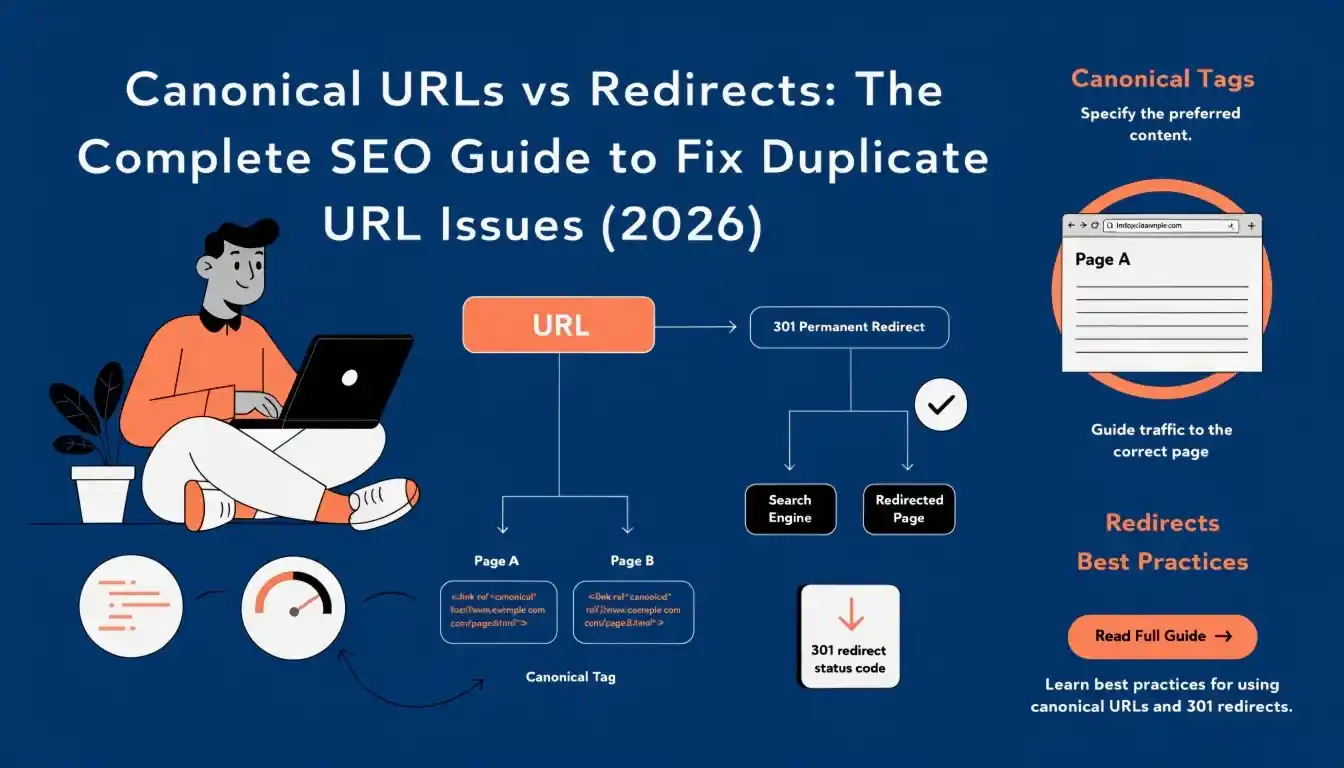
A practical, experience-based guide for marketers, developers, and SEO professionals
There is one truth that I would like to tell you: URL duplication is one of the most frequent yet poorly managed problems in technical SEO, this can resolved by canonical urls.
Many webmasters ignore the issue altogether or resort to ineffective solutions. Google, on the other hand, silently devalues your ranking, distributes your links across several pages, and crawls irrelevant content without issuing any alerts
This comprehensive guide will help you understand and resolve URL issues using canonical tags, redirecting, parameters, sitemap, robots.txt, and even URL fragments. You will know which solution to choose based on the problem at hand.
Why URL Management Matters in SEO (And Why Most Sites Get It Wrong)
Google does not index only one version of your website; rather, it crawls all the URLs that it encounters. In cases where identical URLs refer to similar content, Google has to choose a canonical page, a ranking page, and even link authority distribution.
That decision process is called canonicalization. And when you don’t guide it, Google guesses — often incorrectly.
Here’s what goes wrong when you ignore URL management:
- Crawl budget gets wasted on duplicate pages instead of new content
- Link equity gets split across multiple URL versions, weakening your rankings
- Wrong page versions appear in search results (e.g., HTTP instead of HTTPS)
- Analytics data becomes fragmented and unreliable
This is foundational technical SEO — and it’s worth getting right from day one.
How Google Handles Duplicate URLs Behind the Scenes
Googlebot identifies URLs via links, sitemaps, and redirects. Then it indexes and renders that URL, after which it decides whether to crawl the URL or not. What’s important about this process is that Google crawls and indexes URLs separately – meaning that it can crawl a URL several times without ever indexing it.
If several URLs with duplicate or very similar content are found by Google, they are combined into what is called a cluster, from which one URL will become the canonical.
The term canonical URL refers to the master copy of the web page in the language of Google. This is the version that will be indexed by search engines and receive all the benefits of backlinks.
Key point: You can suggest the canonical to Google, but you can’t force it. Google will override your tag if it thinks you’ve made a mistake. That’s why correct implementation matters.
Also Read: Meta Tags in SEO Explained: Title, Description, Viewport, Charset & Robots Guide
Common Causes of Duplicate URLs (With Real Examples)
- URL Parameters: Tracking parameters, session IDs, and filter parameters all create new URLs without new content:
All three URLs show exactly the same content. Without canonicalization, Google indexes all three as separate pages.
- HTTP vs HTTPS: Many older sites have both HTTP and HTTPS versions live simultaneously. Google sees these as completely different URLs. Always redirect HTTP to HTTPS and set the HTTPS version as canonical.
- Trailing Slash Variations
These are two different URLs in Google’s eyes. Pick one format and stick with it. Most CMS platforms handle this with a redirect rule, but always verify.
- Filters and Dynamic URLs: E-commerce sites are the worst offenders. A product listing page with color and size filters can generate hundreds of unique URLs — all showing largely the same products. This is where canonical tags become essential.
Common mistake I see: Site owners add UTM parameters to internal links. This creates thousands of duplicate URLs that Google has to crawl and canonicalize. Never use UTM parameters on internal links — only use them for external campaigns.
Five Proven Ways to Fix Duplicate URL Issues
- Redirects — The Strongest SEO Fix: A 301 redirect permanently sends both users and search engines from one URL to another. It’s the most definitive signal you can send Google.
- When to use redirects:
- Moving content permanently to a new URL
- Consolidating HTTP to HTTPS
- Merging two URLs with identical content into one
- Fixing www vs non-www inconsistencies
- When to use redirects:
- SEO impact: Google passes nearly all PageRank through 301 redirects. In the past there was a small “loss” — today Google considers it negligible. Use redirects without fear of ranking drops when implemented correctly.
- Common mistakes to avoid:
- Redirect chains: A → B → C → D. Each hop adds latency and dilutes signals. Always redirect straight to the final URL.
- Redirect loops: A → B → A. These break the page entirely for users and bots alike.
- Common mistakes to avoid:
Canonical Tags — The Smart Way to Consolidate URLs
The canonical tag tells Google: “This page exists, but please treat this other URL as the definitive version.” Unlike a redirect, the duplicate page stays live and accessible.
When to use canonical tags:
- URL parameter pages that must remain accessible (e.g., filter pages)
- Paginated content where page 2+ has similar structure to page 1
- Syndicated content published on multiple domains
- Print-friendly versions of pages
HTML implementation:
- Place this in the <head> section of the duplicate page:
- <link rel=”canonical” href=”https://example.com/shoes” />
- The canonical URL should be absolute (include the full domain) and always point to the preferred version.
Pro tip: Every page should have a self-referencing canonical tag — even on your preferred URL. This prevents Google from accidentally canonicalizing your page to a parameter version that gets linked from somewhere.
XML Sitemap — Supporting Signal
Your XML sitemap should only list canonical URLs — never parameter or duplicate versions. This reinforces to Google which URLs you want indexed. It’s a soft signal (not a directive), but it supports your other canonicalization efforts.
Internal Linking — The Underrated Factor
Google notices which URL version you link to internally. If you have a canonical at /shoes but all your navigation links point to /shoes?color=black, Google may override your canonical tag. Always link internally to the canonical version. Consistency matters more than most people realize.
- Other Signals
- Hreflang tags: For multilingual sites, use hreflang to signal language/region relationships between URL versions.
- GSC URL Parameter Settings: Google Search Console lets you specify how certain parameters should be handled (though this feature is less powerful than it once was).
- Inbound backlinks: External sites linking to the canonical URL reinforce the signal. If they link to parameter versions, consider reaching out to update the links.
Redirect vs Canonical: Which One Should You Use?
This is the question I get most often. Here’s a simple framework:
| Use Redirect (301) | Use Canonical Tag | |
| Old URL accessible to users? | No — redirect them away | Yes — page stays live |
| URL change permanent? | Yes, always | Not applicable |
| E-commerce filter URLs? | Rarely | Yes — ideal use case |
| Syndicated content? | Not appropriate | Yes — link to original |
| Strength of signal? | Strongest — directive | Strong — but a hint |
| Page remains crawlable? | No (Google follows redirect) | Yes |
Simple rule: If the old URL should no longer exist, redirect it. If it needs to stay live but shouldn’t be indexed, use a canonical tag.
The Right Way to Combine Canonical, Robots.txt & Sitemap
These three tools work best as a team — but they need to be consistent. Contradictions confuse Google and can backfire.
Should You Block Duplicate URLs in robots.txt?
No, typically not. When a URL is blocked by robots.txt, Google will not crawl it, and thus will not be able to identify your canonical tag on the page. There lies the paradox.
However, there is an exception: when a URL does not have a canonical tag, does not have any link equity associated with it, and needs to be kept from being crawled.
Correct Setup Checklist
- Sitemap: Contains only canonical URLs (no parameter URLs)
- Canonical tags: Exist on all pages, even the preferred one
- Robots.txt: Blocks only those pages that cannot be considered canonical or indexed and that lack canonical tags
- Internal links: Point only to canonical URLs (not to parameterized or duplicate ones)
What Happens After You Redirect a URL? (Most People Get This Wrong)
Do You Need a Canonical Tag on the Old URL?
No. Once you redirect a URL, it no longer serves a page. There’s nothing to put a canonical tag on. The redirect itself is the canonicalization signal.
Does Redirect Affect Traffic?
Over the short term, absolutely – Google will need time to process the redirect and update their index (usually within days or weeks). This period may result in a drop in impression or rank, which is quite natural.
Over the long term, if done right, the 301 redirect will carry over all ranking factors. Your ranks will bounce back, if not better.
Actions Required After Redirect
- Update internal links to point directly to the new URL (don’t rely on the redirect)
- Update your XML sitemap to replace the old URL with the new one
- Reach out to high-value external sites linking to the old URL and request they update the link
- Monitor Google Search Console for crawl errors or indexing issues on the new URL
- Verify the redirect in GSC’s URL Inspection tool to confirm Google sees the new canonical
When Canonical URL Is Different from the Actual URL
- Parameter URLs: A page at /shoes?sort=price is showing the same products as /shoes. The actual URL is the parameter version, but the canonical should point to the clean /shoes URL.
- E-commerce Filters: /dresses?color=red&size=M is a filtered view of your dresses category. Canonical should point to /dresses — the core category page — unless the filtered page has enough unique value and traffic to warrant its own indexing (which is a separate SEO strategy).
- Print Versions: Some CMS platforms generate /article?print=true or /article/print/ URLs. These should always canonical back to the main article URL.
- Syndicated Content: If you are publishing your piece elsewhere, for instance Medium, blogs, and other websites, request the site to insert a canonical URL tag to your original piece. This will prevent your original post from being outranked by your syndicated piece.
Pro tip: For syndicated content, also include an author bio with a do-follow link back to your site. Even without the canonical, the link equity still flows.
URL Fragments (#) Explained: Do They Affect SEO?
URL fragments — the #section-name part at the end of a URL — do not affect SEO in any meaningful way. Google ignores everything after the # symbol when indexing pages.
So https://example.com/guide#chapter-2 is indexed exactly the same as https://example.com/guide. Fragments are handled client-side (by the browser) and never sent to the server.
How to Create Jump Links the Right Way
Jump links help users navigate long pages and improve UX. While they don’t directly boost rankings, they reduce bounce rate and improve engagement — indirect positive signals.
- Correct format:
- Use lowercase, hyphen-separated words (no spaces, no underscores):
- <!– The anchor target –> <h2 id=”best-seo-practices”>Best SEO Practices</h2> <!– The jump link –> <a href=”#best-seo-practices”>Jump to Best SEO Practices</a>
- Avoid special characters or capital letters in fragment IDs — they can cause rendering issues in some browsers.
Critical SEO Mistakes That Can Ruin Your URL Strategy
- Canonical on noindex page: A page that’s both noindexed and canonicalized sends conflicting signals. Google may ignore both.
- Canonical chain: Page A canonicals to Page B which canonicals to Page C. Only the first and last matter — and Google may give up following the chain.
- Blocking canonical target in robots.txt: If Google can’t crawl the canonical URL, it can’t confirm the canonical relationship. Never block canonical targets.
- Using canonical as a substitute for redirect: If a URL is permanently retired, redirect it. A canonical still keeps the page live and wastes crawl budget.
- Mixing www and non-www in canonical tags: Always use one consistent base URL throughout your entire site.
- Relative canonical URLs: Always use absolute URLs in canonical tags (https://example.com/page, not /page). Relative canonicals can be misinterpreted.
Best Practices Checklist
- Foundations
- Every page has a self-referencing canonical tag
- HTTP redirects to HTTPS via 301
- www and non-www are consistent (one 301s to the other)
- Trailing slash is consistent across all URLs
- Canonical Tags
- Canonical tags use absolute URLs
- No canonical tag points to a redirected or noindexed page
- Syndicated content has canonical tag pointing to your original
- Redirects
- No redirect chains (A to B to C — fix to A direct to C)
- No redirect loops
- Internal links updated to point directly to final destination URL
- Sitemap & Robots.txt
- XML sitemap contains only canonical URLs
- robots.txt does not block any canonical target pages
- GSC configured with preferred domain and parameter handling
Final Thoughts: Building a Clean and Scalable URL Strategy
URL management isn’t glamorous. It won’t go viral on Twitter. But it is the kind of foundational work that compounds over time — cleaner crawling, stronger link equity, more reliable analytics, and a site that Google trusts.
If you’re building a new site, set up redirects, canonical tags, and sitemap structure from day one. If you’re fixing an existing site, start with an audit: crawl your site, identify duplicate URL clusters, and prioritize the ones with the most inbound links.
The goal is simple: help Google understand your site — and it will reward you with better rankings, better crawl efficiency, and ultimately, more organic traffic.
Frequently Asked Questions
Can I use both a canonical tag and a noindex tag on the same page?
You should avoid this combination. A canonical tag says “index this other URL instead.” A noindex tag says “don’t index this page.” Together they send conflicting signals. Google typically honors the noindex, which means the canonical relationship also gets ignored. Use one or the other — not both.
Does a canonical tag pass PageRank like a 301 redirect does?
Yes, Google officially confirms that canonical tags do consolidate signals (including PageRank) to the canonical URL. However, a 301 redirect is considered a stronger and more definitive signal. For pages that are truly retired, always prefer a redirect.
My canonical tag is set correctly but Google is ignoring it. Why?
Google treats canonical tags as hints, not directives. Common reasons it overrides your tag:
- Internal links predominantly point to a different URL version
- The canonical URL returns an error or redirect
- The content between the two URLs is not substantially similar
- External links heavily favor the non-canonical version
Should I redirect every old URL, or just the important ones?
Redirect any URL that has accumulated backlinks, traffic, or is linked internally. For URLs that have never been indexed or received any links — and you’re certain of that — a 404 is acceptable. When in doubt, redirect. The cost of a missed redirect (lost link equity) is higher than the cost of an unnecessary one.
How do I check if Google has recognized my canonical tag?
Use Google Search Console’s URL Inspection tool. Enter the URL you’ve marked as canonical and look at the “Google-selected canonical” field. If it matches the URL you specified, Google has accepted your tag. If it shows a different URL, Google has overridden your choice and you need to investigate why.