
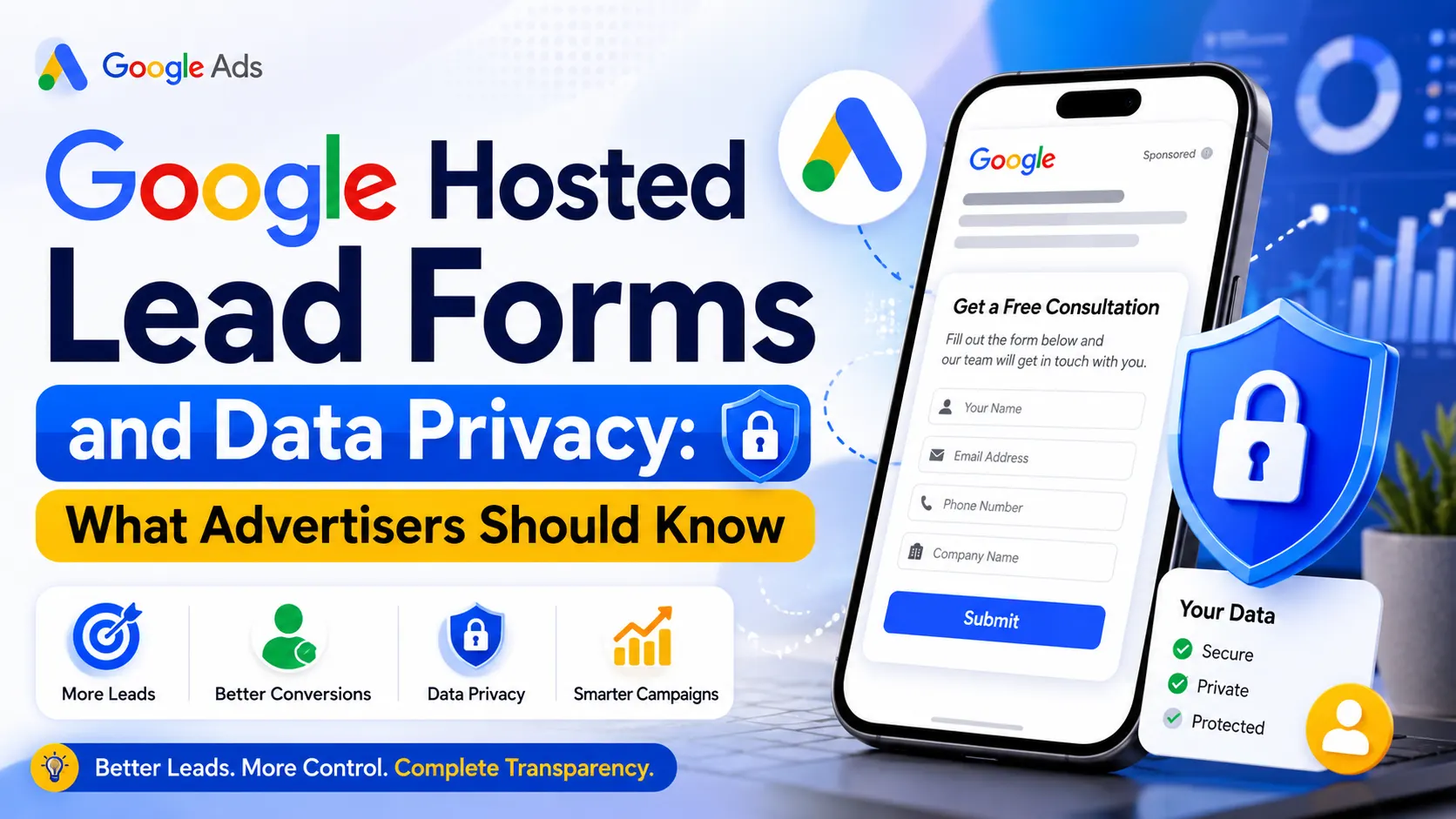
For Digital Marketing professionals, there is nothing more critical than generating high-quality leads in an efficient manner. The tried and tested formula for achieving this within the Digital Marketing space has not seen much change over the past ten years – you create an advertisement, get a person to click on it, take them to an external website where you then hope they spend long enough filling out your contact form. However, with shrinking attention spans and increasingly mobile users, this process has become increasingly challenging.
In order to address this issue, Google developed an immensely effective ad extension in the form of the Google Hosted Lead Form, which is more popularly known simply as Google Ads Lead Forms. In doing away with the need for visitors to switch platforms, this feature revolutionizes the process of Lead Generation as potential clients are able to share their contact information in just a few quick clicks without ever having to leave the Google domain.
As alluring as this seamless process may seem, of course, it has also generated quite a few questions on the part of business owners, shrewd marketers, and other specialized agencies. Who, then, is the rightful owner of this information? Can Google, while behind closed doors, be passing on your leads to your biggest competitors in the industry? Just how safe is your data with this system in place? With this thorough guide, find out everything there is to know about Google Hosted Lead Forms and compare their benefits to those of Website Lead Forms.
What Is a Google Hosted Lead Form?
In essence, a Google Hosted Lead Form is a unique advertising product from Google where a company can have a native information capture form attached to its Google Ad campaign. The Google Ad campaign does not work as a mere landing page for redirecting customers to another website; rather, the Google Ad campaign becomes a place where conversion takes place. They also integrate well with the Google platform where they are placed.
When users engage with your ad whether they are looking for answers on Google search, watching videos on YouTube, reading through articles on Google Display network, or checking their emails using Discovery ads, they will be faced with a call-to-action prompt like ‘Get a Quote’, ‘Sign up’, or ‘Download Brochure’. In the event that the individual chooses to take up the call-to-action prompt, a beautiful form appears right before their eyes. They can fill out their name, email, phone number, and any other relevant information or allow Google to automatically populate the form through their Google profile.
Also Read: What Google Ads Data Access Limits Mean for Your Business
How Google Hosted Lead Forms Work
The best way to appreciate the potential of Google Ads Lead Forms is to examine in detail the steps taken by users before arriving at that point where their information is transferred directly into the database of the company advertising on Google. This journey is actually surprisingly simple and quick; there is no need for any of those frustrating delays involved when surfing the web normally:
- Step 1: Ad Exposure. The prospect sees your targeted advertisement on a Google property while looking for relevant solutions.
- Step 2: Immediate Engagement. Instead of waiting for an external website to load, the user clicks a distinct call-to-action button embedded right inside the ad.
- Step 3: Instant Expansion & Pre-population. The form opens instantly. If the user is logged into their Google account, their primary contact information (such as name and email address) is pre-filled automatically, drastically reducing typing effort.
- Step 4: One-Tap Submission. The user reviews their pre-filled info, answers any additional custom questions you’ve included, and clicks ‘Submit’.
- Step 5: Completion and Follow-Up. A highly customizable confirmation screen appears, thanking the user and providing an optional link to visit your website or download a file if they choose.
On a practical level, Google only serves as the safe platform that presents you with the form, gets the user’s affirmative consent, and collects the information for you. After the submission of the lead, Google will store the lead safely in your Google Ads account for a period not exceeding 30 days. Advertisers are able to download the leads manually through a clear CSV file, or they may decide to automate the entire process through Webhooks or other platforms such as Zapier.
Is Google Hosted Lead Form Mandatory?
So what do I say to that? No way! Google does not make it compulsory to use Google Hosted Lead Forms when it comes to advertising campaigns. In the world of Online Advertising, flexibility rules the roost, and Google knows that no one format will work for all kinds of businesses everywhere.
As an advertiser, you have complete control of where your visitors land. You can entirely determine whether or not to include native lead extensions or use only website lead forms. In truth, many marketers decide to run both approaches together, using native leads on campaigns that focus on discovery and are heavy in mobile searches, while diverting qualified search traffic to their corporate websites through Conversion Tracking pixels.
Website Lead Forms vs. Google Hosted Lead Forms
The selection of native Google forms vs. website landing pages is undoubtedly one of the most important strategic decisions that an agency or business owner needs to make. Here is a detailed analysis that explains the key differences between them:
| Feature Comparison | Google Hosted Lead Forms | Website Lead Forms |
| User Experience | Instant, frictionless loading; forms open entirely inside the native app with automated pre-filled fields. | Requires redirecting to an external browser tab; load times vary based on hosting, layout, and script weights. |
| Lead Quality | Often higher volume but lower initial qualification, as pre-filled forms require minimal conscious effort from users. | Typically lower overall volume but much higher quality, as users must intentionally type information and interact with your site. |
| Data Control & Ownership | Stored securely on Google servers for a rolling 30 days; strictly governed by Google’s rigid privacy architecture. | Complete and immediate ownership on your own web infrastructure; data handling governed entirely by your corporate privacy policy. |
| Branding & Design | Highly structured layout; restricted to a single header image, basic text, and a limited set of color configurations. | Infinite customization; complete control over layout, CSS, custom interactive media, and multipage flows. |
| Conversion Rates | Significantly higher conversion rates for mobile users due to the complete elimination of web page loading delays. | Conversion rates heavily depend on landing page speed, mobile optimization, and overall form length design. |
| CRM & Software Integration | Requires Webhooks or third-party middleware (like Zapier) to smoothly push data into external databases automatically. | Direct, native integrations are often built into modern CMS platforms (like WordPress, HubSpot, or Webflow). |
| Conversion Tracking | Extremely easy to track inside Google Ads natively; harder to attribute deeply across external analytics suites. | Enables complex multi-touch attribution tracking via Google Tag Manager, GA4, Meta Pixels, and custom cookies. |
Does Google Share My Leads With Other Advertisers?
Let’s put our foot down right away regarding the issue at hand. The one fear that companies and marketing firms have when looking into using this type of platform is that of security: If someone fills out my Google Hosted Lead Form, will Google then give my lead to my competitors?
| The definitive answer is an absolute NO. Google does not sell, rent, or share your individually generated leads with competing advertisers. When a user explicitly interacts with your specific ad and submits their information, that lead belongs uniquely and exclusively to your advertising account. |
The fallacy is commonly due to the way other platform systems function. Take the example of the lead generation website that aggregates multiple websites, such as Angi, Thumbtack, or even any other insurance comparison website. They will usually pick up one request from the user and send it to four or five competitors in order to encourage competition. This does not apply to Google Ads, which has an entirely different economy. When you purchase an ad, you are buying attention to the website and its advertisements.
It is important to know the difference between data processing and lead sharing. Google strictly functions as the data processor for your lead generation form. It processes the form based on the configuration set up by you, stores it in a secure manner within your account, and delivers it through the mode chosen by you. They don’t match your leads against their database to give the leads to your competitors.
Understanding Data Privacy and Lead Ownership
While Google does not share your raw leads, entering into the ecosystem means navigating strict data privacy rules. Understanding the intersection of platform compliance and lead ownership is vital for keeping your campaigns running smoothly.
First and foremost, to launch a Google Hosted Lead Form, an advertiser must provide a valid, accessible link to their own official corporate Privacy Policy. This policy is clearly displayed to users at the bottom of the form before they submit any data. Because you are collecting Personal Identifiable Information (PII) directly inside Google’s framework, you must maintain complete transparency regarding how you intend to use, store, and protect that data once it leaves Google’s ecosystem.
Furthermore, Google enforces strict safety guardrails on the types of information you are allowed to request. For safety and compliance reasons, you cannot use native lead forms to collect highly sensitive data, including:
- Financial Passwords & Data: Financial data like full credit card digits or banking account numbers.
- Identification Numbers: Government-issued identifiers such as Social Security Numbers, passports, or national ID details.
- Health Status: Asking detailed health history or sensitive medical conditions directly inside the ad unit.
- In addition to these restrictions, advertisers must comply with local privacy regulations like GDPR in Europe or CCPA in California. Because users explicitly give consent when clicking ‘Submit’ on a Google form, the initial opt-in process is legally sound. However, the long-term responsibility shifts entirely to your brand the moment you extract that lead data via CSV or Webhook. Maintaining an audit trail of exactly how and when that information was acquired is a fundamental pillar of modern Digital Marketing governance.
Pros and Cons of Google Hosted Lead Forms
To help you evaluate whether this native tool aligns with your broader business objectives, let’s look closely at its structural advantages and disadvantages.
The Advantages:
- Unrivaled Conversion Speeds & Rates: By wiping out external web loading delays and tedious manual form fields, users are far more likely to complete the submission process, resulting in a healthy surge in raw volume.
- Flawless Mobile Integration: Because the interface is designed by Google explicitly for mobile environments, it scales flawlessly across all smartphones, handheld devices, and modern application frames.
- Fast Deployment: Getting started by creating your native form right inside your current Google Ads dashboard is easy and takes no more than a couple of minutes, and no coding or designing is needed.
- Reduced Cost Per Lead: As a result of the decreased number of actions, the cost per lead (CPL) becomes smaller.
The Disadvantages:
- Risk of Outdated Contact Data: Because forms auto-populate with a single tap, users occasionally submit outdated contact details tied to old Google accounts without double-checking them.
- Extremely Limited Branding: You are confined to Google’s standardized form layouts. You cannot showcase elaborate brand elements, explanatory corporate videos, or extensive validation text.
- Lower Initial Quality & Intent: Lower transactional friction means users sometimes submit forms passively, leading to a higher volume of casual browsers who require substantial nurturing to convert into paying customers.
Pros and Cons of Website Lead Forms
Traditional landing pages and website contact setups remain popular for good reasons. Let’s look closely at the trade-offs involved when driving traffic to your own web domain.
The Advantages:
- Absolute Creative & Layout Control: Your website is entirely your domain. You can create immersive brand experiences, add social proof, post video case studies, and format forms exactly how you see fit.
- Superior Lead Qualification: By adding multi-step fields, interactive drop-downs, or captcha verification, you force prospects to take intentional action, ensuring only highly qualified, motivated buyers make it through.
- Robust Analytics & Attribution: Hosting forms on your own site lets you deploy advanced tracking tools like Google Analytics 4 (GA4) or heatmaps to deeply analyze user behavior and map out complete conversion funnels.
- Seamless Retargeting Capabilities: Once a user hits your site, you can effortlessly drop retargeting pixels to serve tailored follow-up ads across multiple search and social networks over time.
The Disadvantages:
- Vulnerability to Website Performance Issues: Slow hosting speeds, poorly optimized mobile pages, or confusing menus can frustrate visitors, causing them to abandon your site before filling out a form.
- Higher Strategic Friction: Every extra click required to move a user from an ad to a landing page introduces an opportunity for them to drop off, resulting in lower raw lead volumes compared to native forms.
- Resource-Intensive Upkeep: Building high-converting landing pages requires steady coordination between web developers, copywriters, and SEO Experts to ensure technical tracking scripts function flawlessly.
Which Option Should Businesses Choose?
The perfect choice isn’t universal; it depends heavily on your industry model, operational capacity, and lead-handling workflow. Here is a strategic breakdown tailored to specific business profiles:
Local Service Businesses (Plumbers, Roofers, Auto Repair)
Recommendation: Use Google Hosted Lead Forms more extensively. Local people who need help urgently are more likely to seek out a fast solution than one that requires more research. Having a ‘Request a Callback’ feature within the search result itself means that potential customers will not even reach the competing site.
Digital Marketing Agencies & SEO Service Providers
Recommendation: Utilize a balanced, hybrid strategy. When marketing agencies run campaigns to scale their own client pipelines or manage campaigns for clients, they should blend both tools. Use native lead forms to distribute lightweight educational resources (like SEO checklists or marketing audits) to quickly build top-of-funnel email databases. However, for high-value agency consulting contracts, route traffic directly to dedicated website forms. This ensures prospects are thoroughly vetted before booking valuable calendar time with your sales team.
B2B Enterprise and Software Companies (SaaS)
Recommendation: Prioritize Website Lead Forms. Enterprise B2B deals involve long sales cycles and multiple stakeholders. A native form rarely captures the deep context—such as company size, specific department requirements, or current software infrastructure—needed to qualify an enterprise lead. Driving prospects to an educational, well-structured landing page is essential for establishing professional credibility.
E-commerce and Direct-to-Consumer Brands
Recommendation: Use Google Hosted Lead Forms as a growth engine for first-party data. While e-commerce ads typically focus on direct product purchases, savvy retailers can use native forms to promote enticing offers like ‘Join our VIP list for 20% off your next purchase’. This allows you to quickly build a valuable first-party marketing list at a low cost, which you can then nurture into long-term repeat buyers through targeted email flows.
Also Read: How GEO and AI Are Reshaping the Future of Google Ads Dashboard
Final Conclusion
To wrap things up, Google Hosted Lead Forms represent a powerful tool in the modern online advertiser’s toolkit. By completely removing the common technical roadblocks of traditional web browsing, they unlock a fast, mobile-optimized pathway to scale your lead generation efforts and drive down overall acquisition costs.
The most critical takeaway for any business owner or marketing director is that using these native forms is entirely optional, and your data remains strictly secure. Google does not share your individual leads with competing advertisers, nor do they distribute your prospects to the highest bidder. The tool functions purely as a secure processing extension designed to help you capture consumer interest quickly and safely.
Ultimately, the ideal approach shouldn’t be framed as a rigid choice between one or the other. Instead, the most successful brands frequently deploy both methods symmetrically. By leveraging Google Hosted Lead Forms for rapid, low-friction mobile volume, and anchored Website Lead Forms for deep, high-intent qualification, your brand can build a resilient, high-converting digital marketing framework that drives sustainable revenue growth year after year.
Disclaimer
Disclaimer: This article is intended for educational and informational purposes only. Google may update its advertising products, privacy policies, lead form features, and data handling practices over time. Readers should always refer to official Google Ads documentation, Google’s Privacy Policy, and applicable legal or regulatory requirements before making business, advertising, or data privacy decisions. The information presented in this article does not constitute legal, compliance, or professional privacy advice.